
Read results
How to scan a ranked list, use fit labels, and know when to open a profile.
Results are a ranked list, not a lottery. Highest fit first. Your job is to scan, not to admire every row.
The ranked table
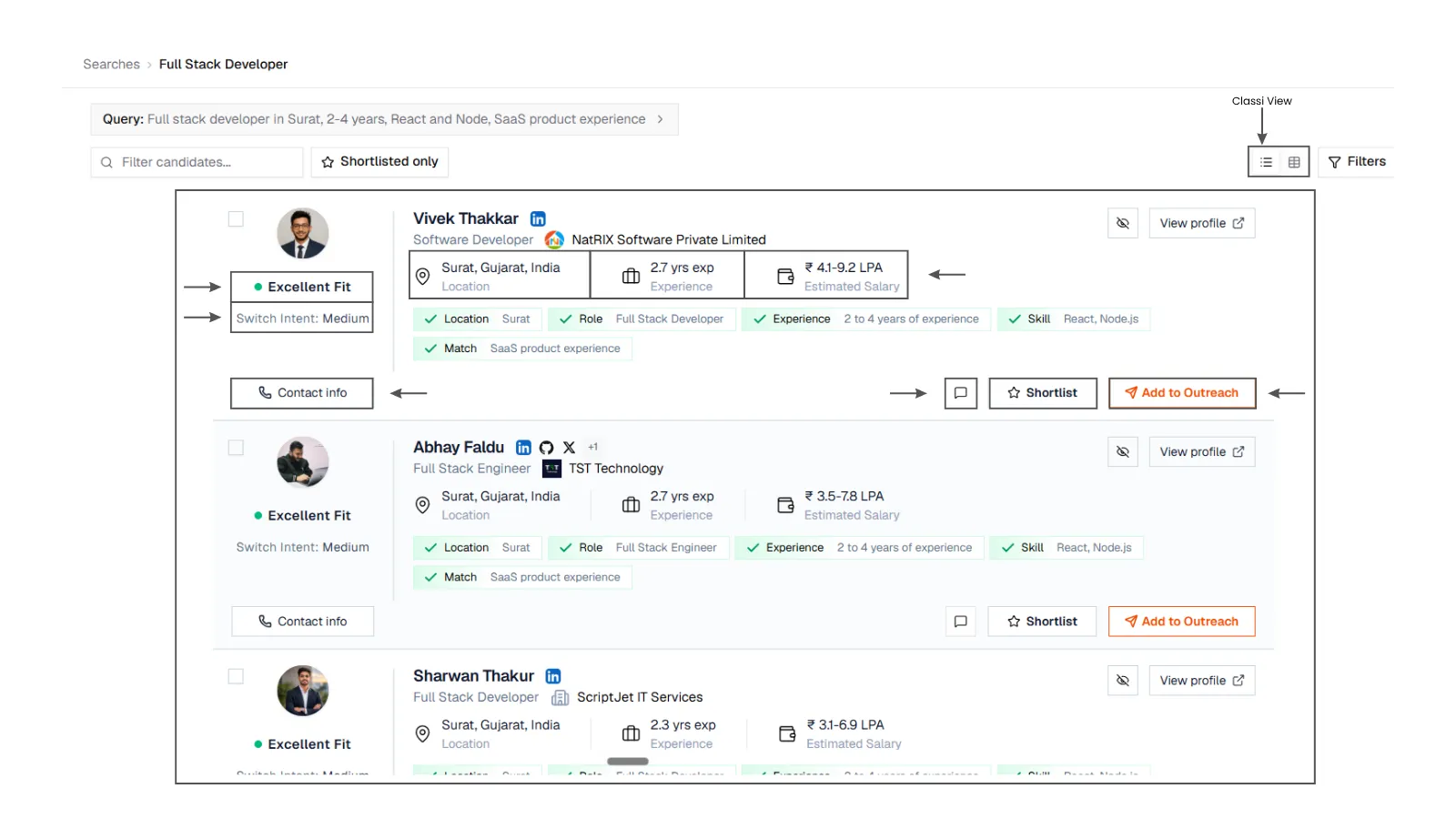
1. The ranked table
Full search results page: columns for profiles, fit, total experience, company, location, estimated salary, and contact info, sorted by fit, with shortlist toggles.
1. The ranked table
Full search results page: columns for profiles, fit, total experience, company, location, estimated salary, and contact info, sorted by fit, with shortlist toggles.
What each column is for
- Name (open the profile sheet)
- Company (current or latest workplace)
- Location (where the profile says they are)
- Fit (match against this search). See Scores
- Total Exp (years on the profile, not years in your exact title)
- Est. Salary (when SARAL has a range)
- Contact Info (locked until you unlock)
Click a column header to re-sort. Fit is the default because that is the point of the product.
Switch list and table with the view toggle. Use the column picker if the table feels wide.
Fit labels
People land in four labels:
| Label | Score |
|---|---|
| Excellent Fit | 85 and up |
| Good Fit | 60 to 84 |
| Partial Fit | 30 to 59 |
| Low Fit | below 30 |
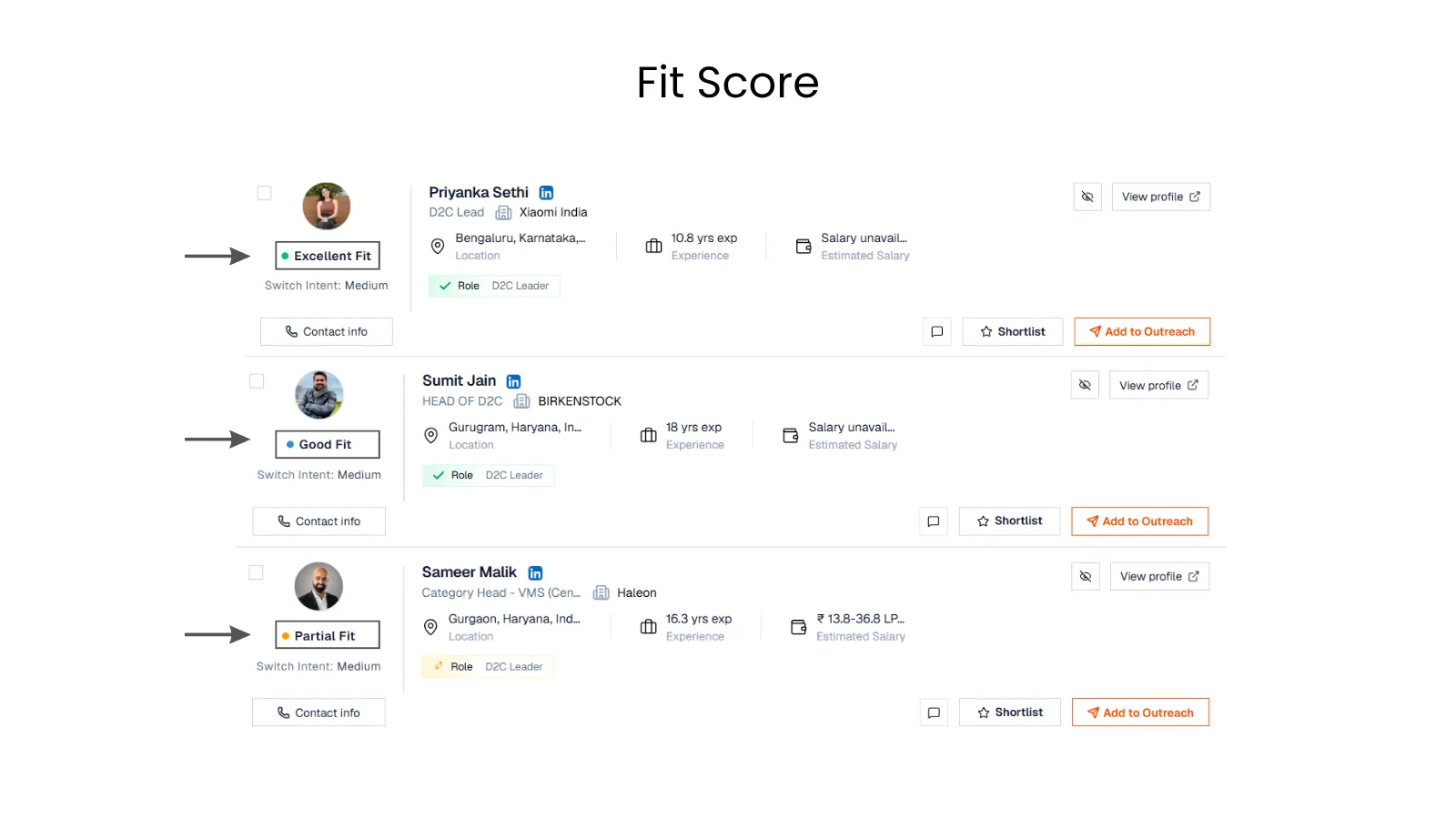
2. Fit on a row
Crop of a results row showing a numeric fit score and a label such as Excellent Fit or Good Fit.
2. Fit on a row
Crop of a results row showing a numeric fit score and a label such as Excellent Fit or Good Fit.
There is no hidden weaker-matches banner. If the list is noisy, open Filters and keep Excellent and Good.
When the list is still growing
If SARAL is still finding people, you will see that the search is expanding (including a spinner on that search in the sidebar). New rows appear on this same page. A strong match that arrives late still sorts by score.
Keep reading. Do not clone the search unless you want a different brief.
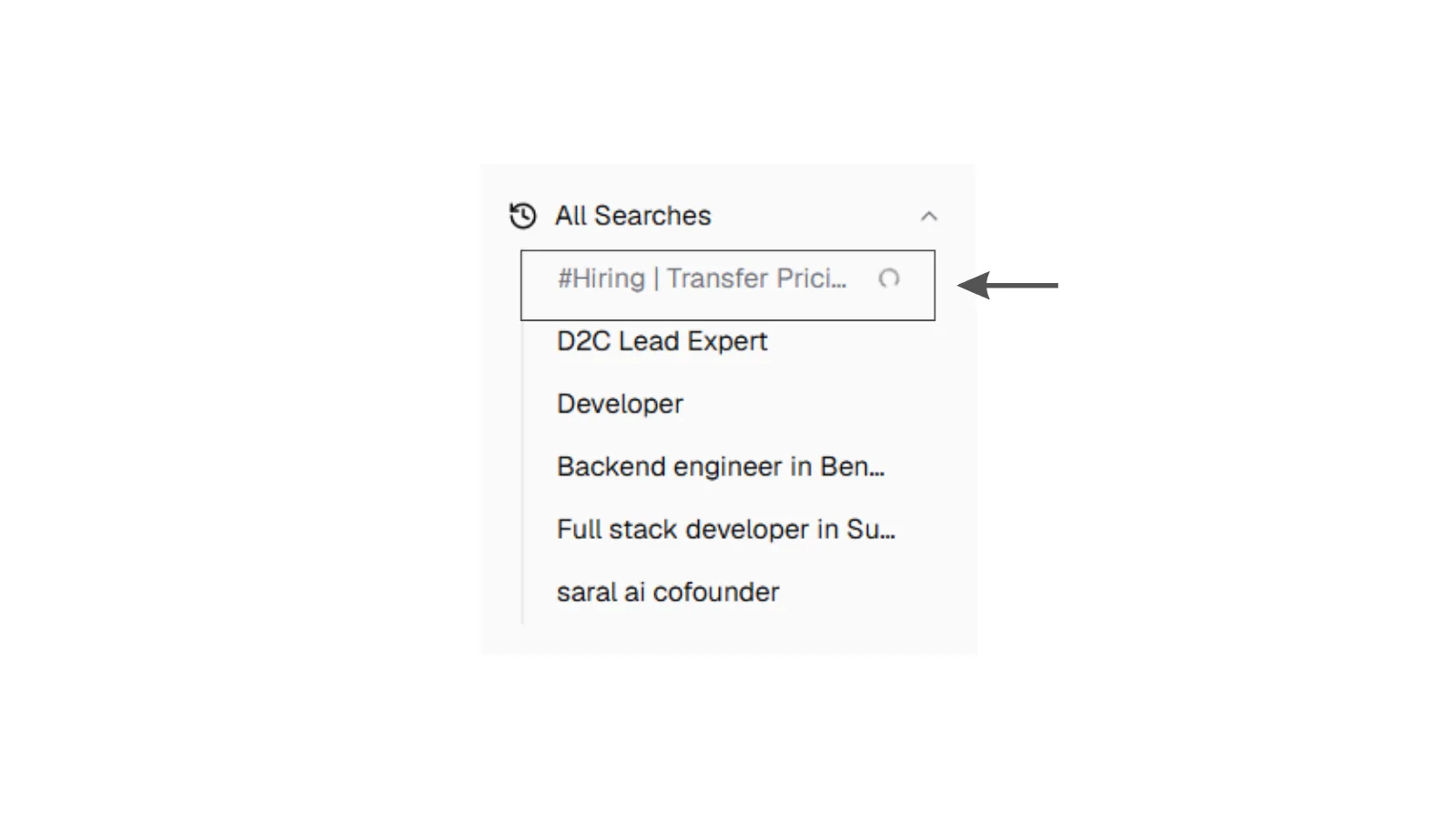
3. Still looking
Empty or still-loading search results state: a calm message that SARAL is looking for candidates, with no error chrome and no fake rows.
3. Still looking
Empty or still-loading search results state: a calm message that SARAL is looking for candidates, with no error chrome and no fake rows.
Duplicate of a search you already ran
The same query again does not create a twin. SARAL sends you to the existing results. Open that search, or change the wording if you meant something new.
What to do on the first pass
- Read the top five names and companies. Do they look like the role?
- Open two profiles. One you like, one you are unsure about. Calibrate the score.
- Shortlist anyone you would take a first call with.
- Only then unlock contacts or add to a campaign.
A page shows about 15 people. Load more when you want the next page. You do not pay twice for someone already on the list.