
Save a search
Every search is kept. Rename the ones you will reopen. Delete the rest.
You do not have to remember what you typed. SARAL stores the query, the filters, and the ranked people.
Where to find them
Open All Searches in the sidebar (also listed as recent searches). You will see what you ran, with a path back into results.
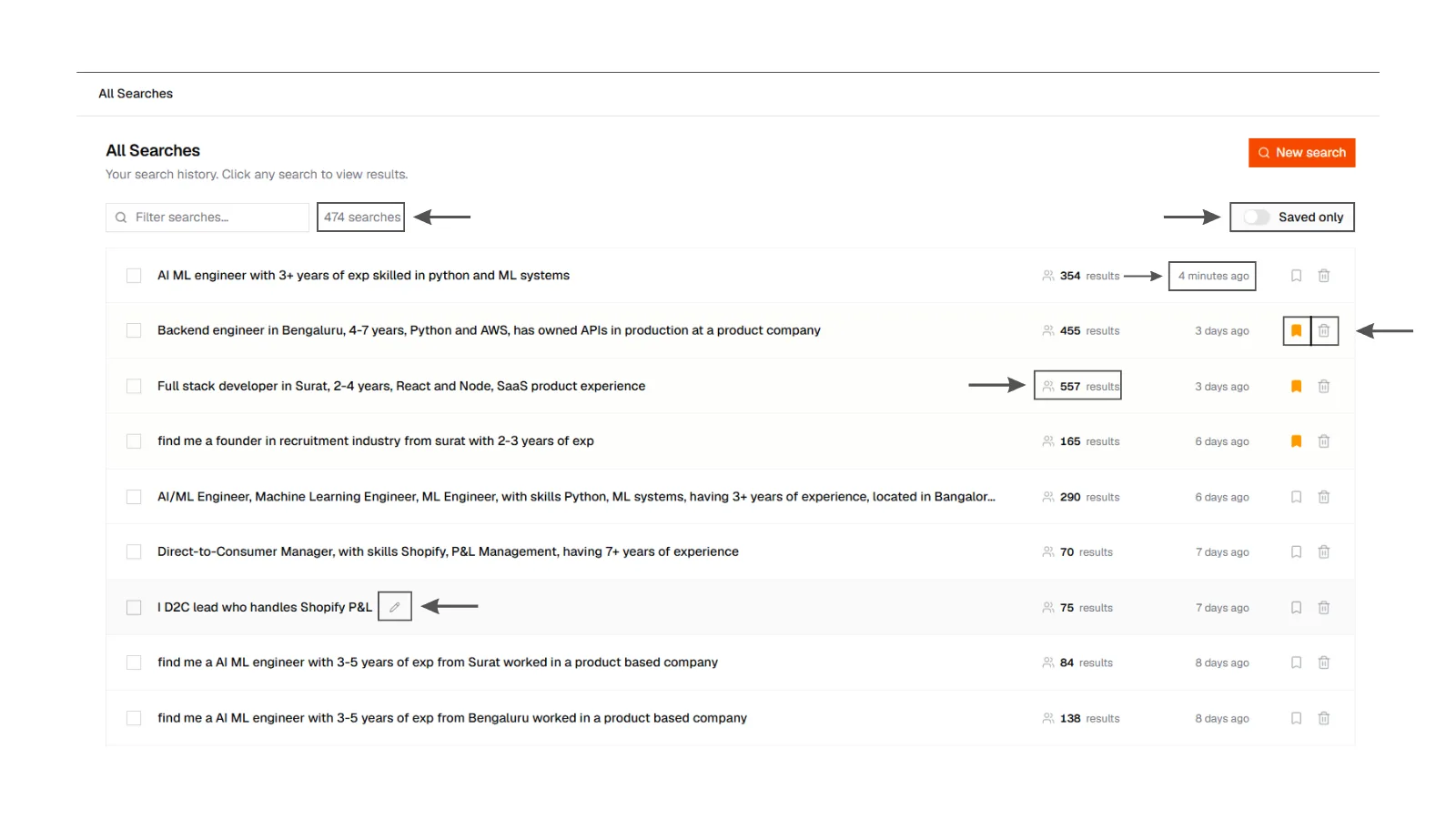
Searches list
All Searches page listing recent queries with names, dates, a bookmark control, rename, and delete. A saved search is visually distinct from an unnamed run.
Searches list
All Searches page listing recent queries with names, dates, a bookmark control, rename, and delete. A saved search is visually distinct from an unnamed run.
Name a search you care about
A raw query is easy to lose after a busy week. Click the name to rename it. Use the req title, the hiring manager, or the city.
Use the bookmark control to mark keepers. You can delete a search from your list when you are done with it. It disappears from your workspace. Do not delete a search that still has an active campaign attached to those people until you have checked Outreach.
Returning
Opening a saved search brings back the same ranked set. If that search was still expanding when you left, come back and see whether more people arrived.
Running the same words again jumps you to the existing search. Change the wording if you want a new one.