
Contact details
Email and phone are a separate, explicit step. You pay once. Viewing again is free.
SARAL can show you who to talk to without handing out inboxes. Contact details appear when you ask, on a profile, or as part of adding people to an email campaign.
What you can unlock
- Email (work or personal, when an address is on file)
- Phone (a direct number, when one is on file)
You choose the channel. Unlocking email does not automatically unlock phone.
What it costs
As published in the product today:
| Action | Credits |
|---|---|
| Email unlock | 3 |
| Phone unlock | 5 |
If nothing is found, you are not charged. If you already unlocked that person, opening the details again is free.
Full table: Credits.
Unlock from a profile
Open the person → Contact → choose email or phone → confirm. Use this when you are reaching out by hand, or you only need one or two people.
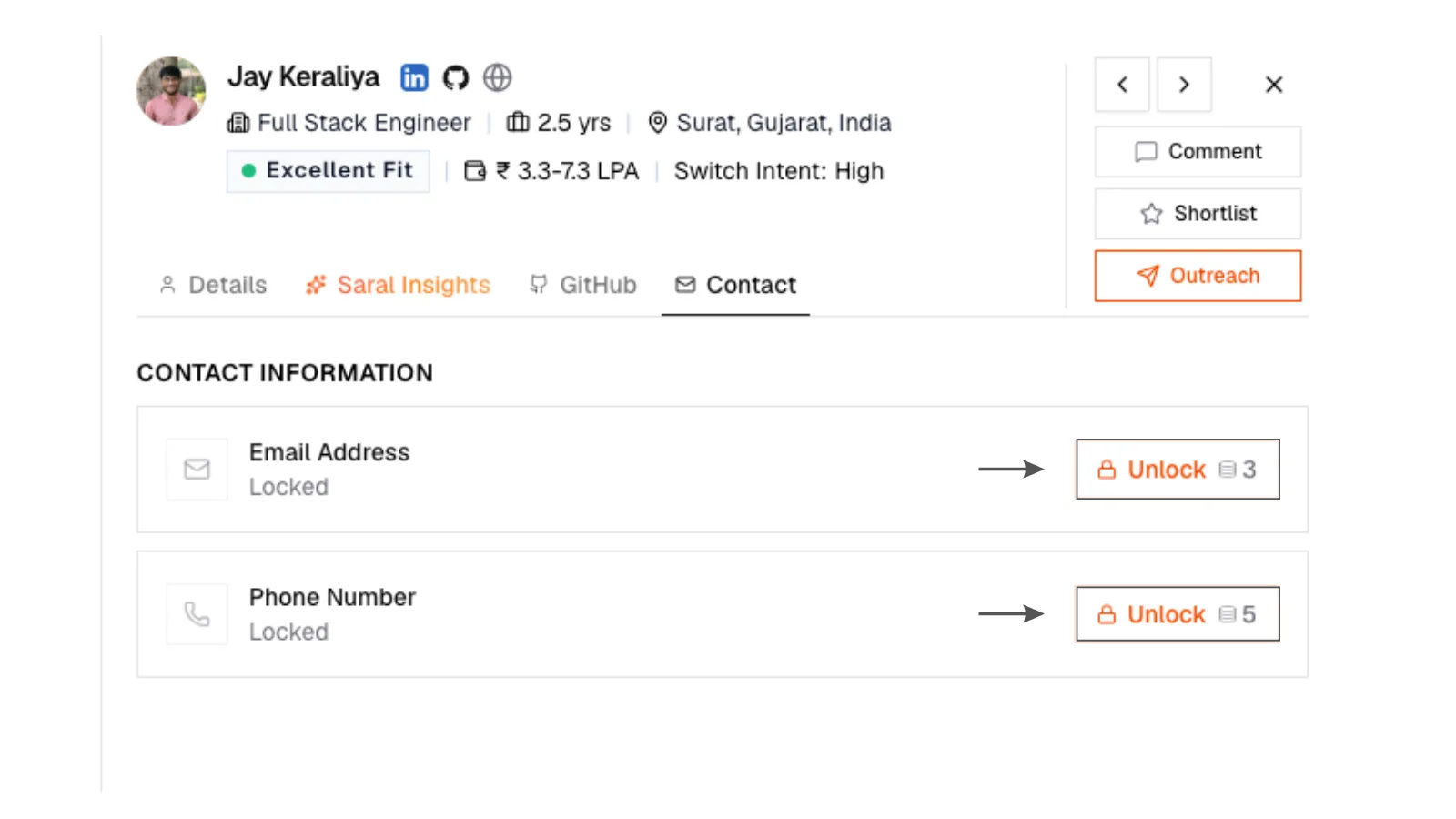
1. Unlock on a profile
Candidate profile Contact tab with unlock email or phone actions before details are shown.
1. Unlock on a profile
Candidate profile Contact tab with unlock email or phone actions before details are shown.
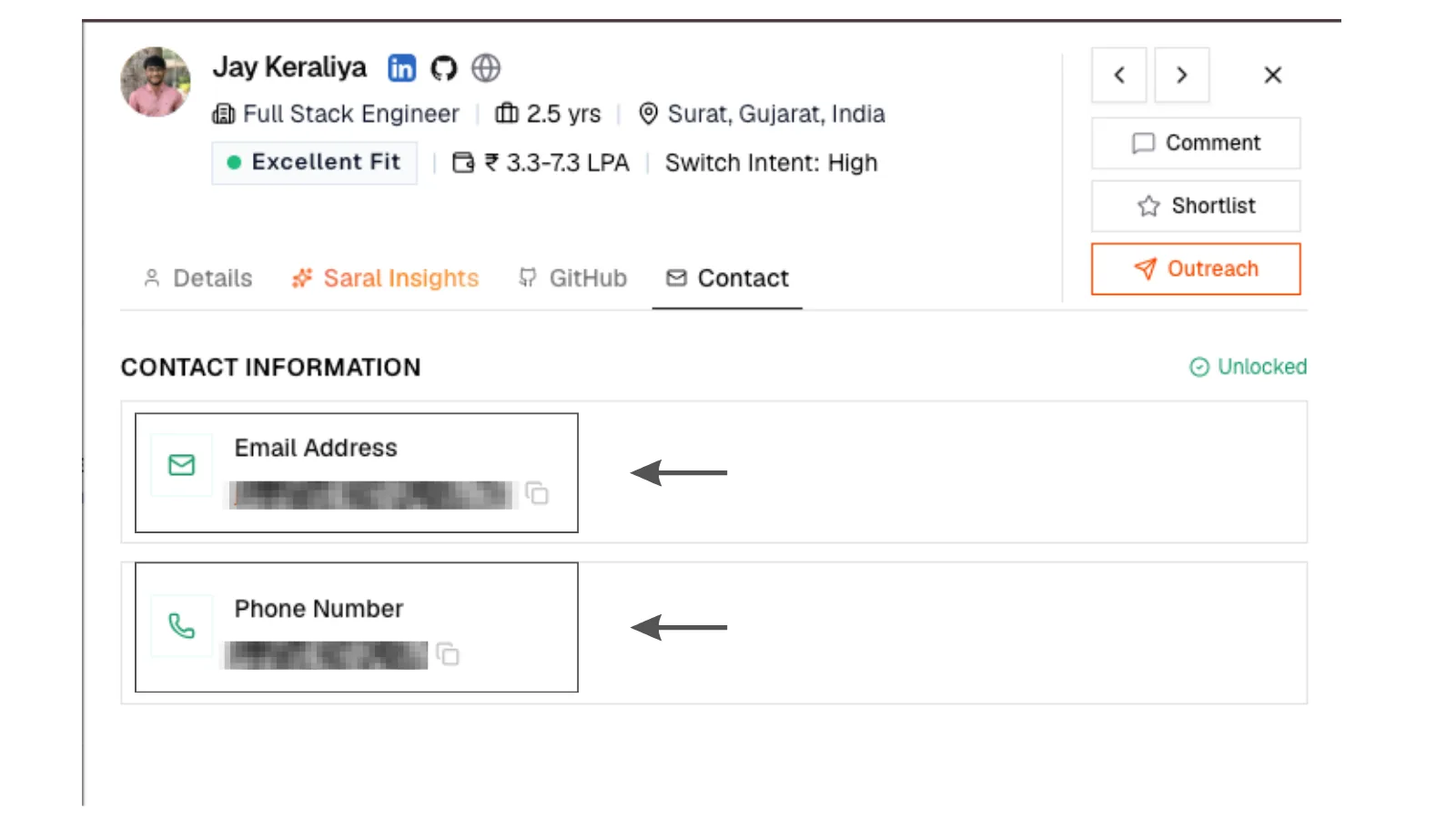
2. Contact revealed
Candidate profile Contact tab after unlock with email or phone visible.
2. Contact revealed
Candidate profile Contact tab after unlock with email or phone visible.
Unlock in the background on a campaign
When you add people to an email campaign, SARAL looks up missing emails in the background. The add itself is instant. You will see progress on the campaign's Candidates area: how many are in progress, who needs a retry, who has no email.
A campaign will not send to someone who still has no email. One slow lookup never blocks the rest of the campaign.
Contacts page
Everyone you have unlocked lives under Contacts. Search the list when you want the person, not the old search they came from.
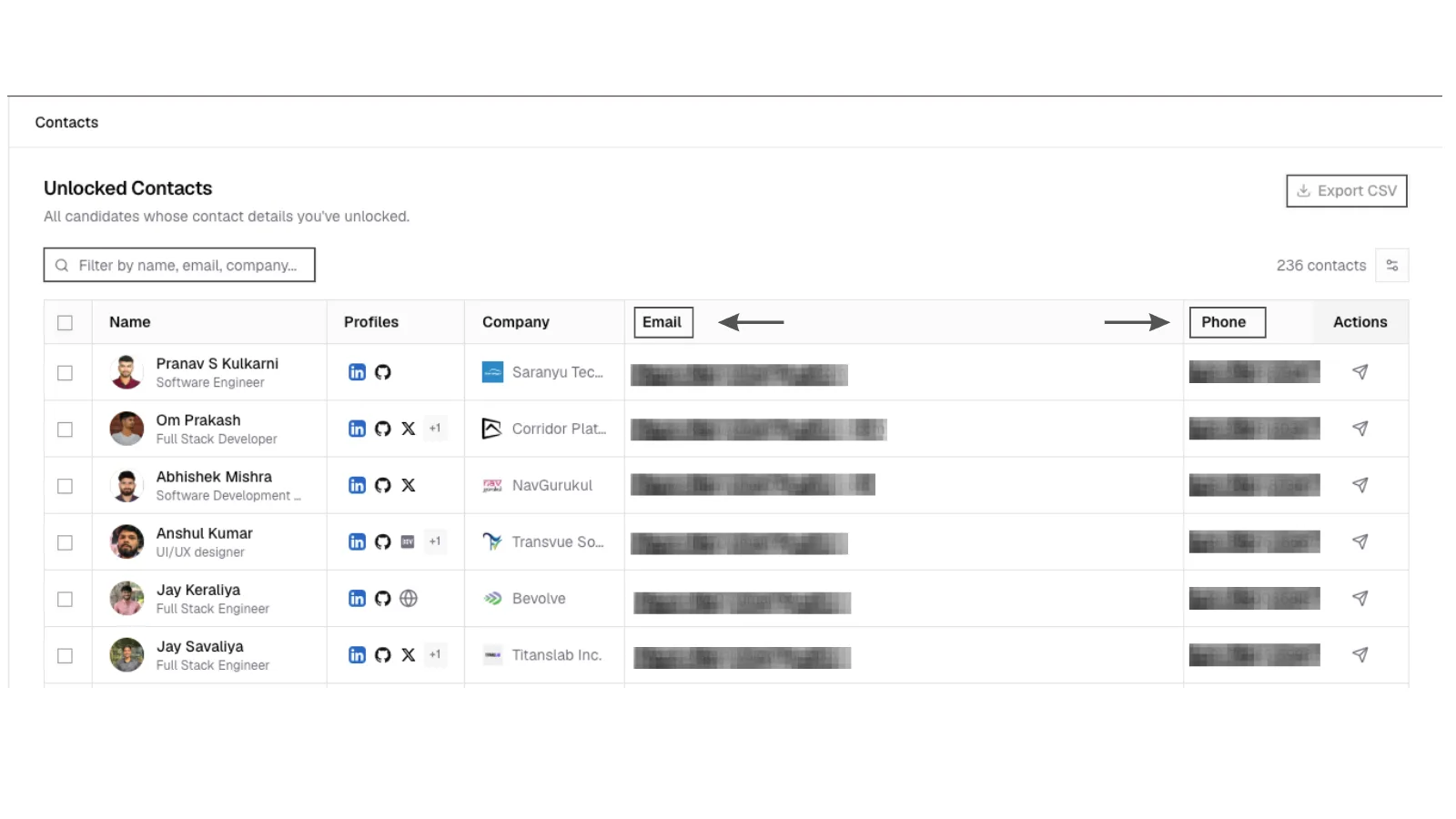
3. Contacts page
Contacts page listing unlocked people with email or phone on file, search box, and Export CSV.
3. Contacts page
Contacts page listing unlocked people with email or phone on file, search box, and Export CSV.
On Growth, use Export CSV here to download unlocked people.
Send to ATS
Sending someone to a synced job requires an unlocked email. People without one are skipped and called out, so nothing lands in the ATS as a nameless record.