
Create a campaign
Pick a template or start from scratch, add people, then generate drafts before anything sends.
Build the campaign before you fall in love with a first line. Structure first, copy second.
From Outreach → Campaigns, start a new campaign. You will see templates grouped as Email, LinkedIn, Saved, and Custom. Tags such as Urgent, Passive, Senior, Referral, or Long game steer tone. You can also start from scratch and pick a channel.
Create it
Give it a name you will recognize in a month. Bengaluru backend · April intro beats Campaign 3. Names can be up to 60 characters.
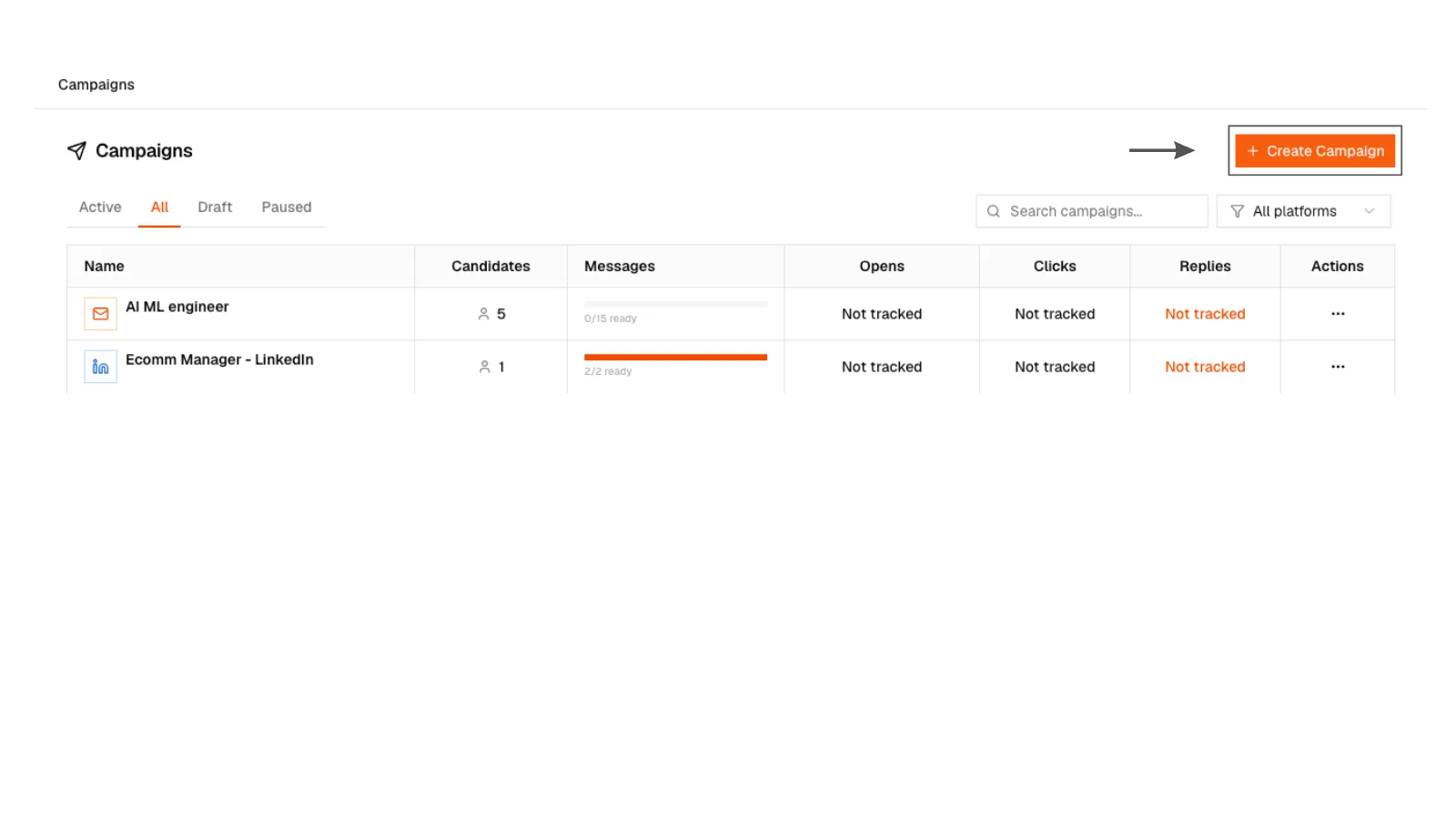
1. Start new campaign
New campaign creation modal in SARAL.
1. Start new campaign
New campaign creation modal in SARAL.
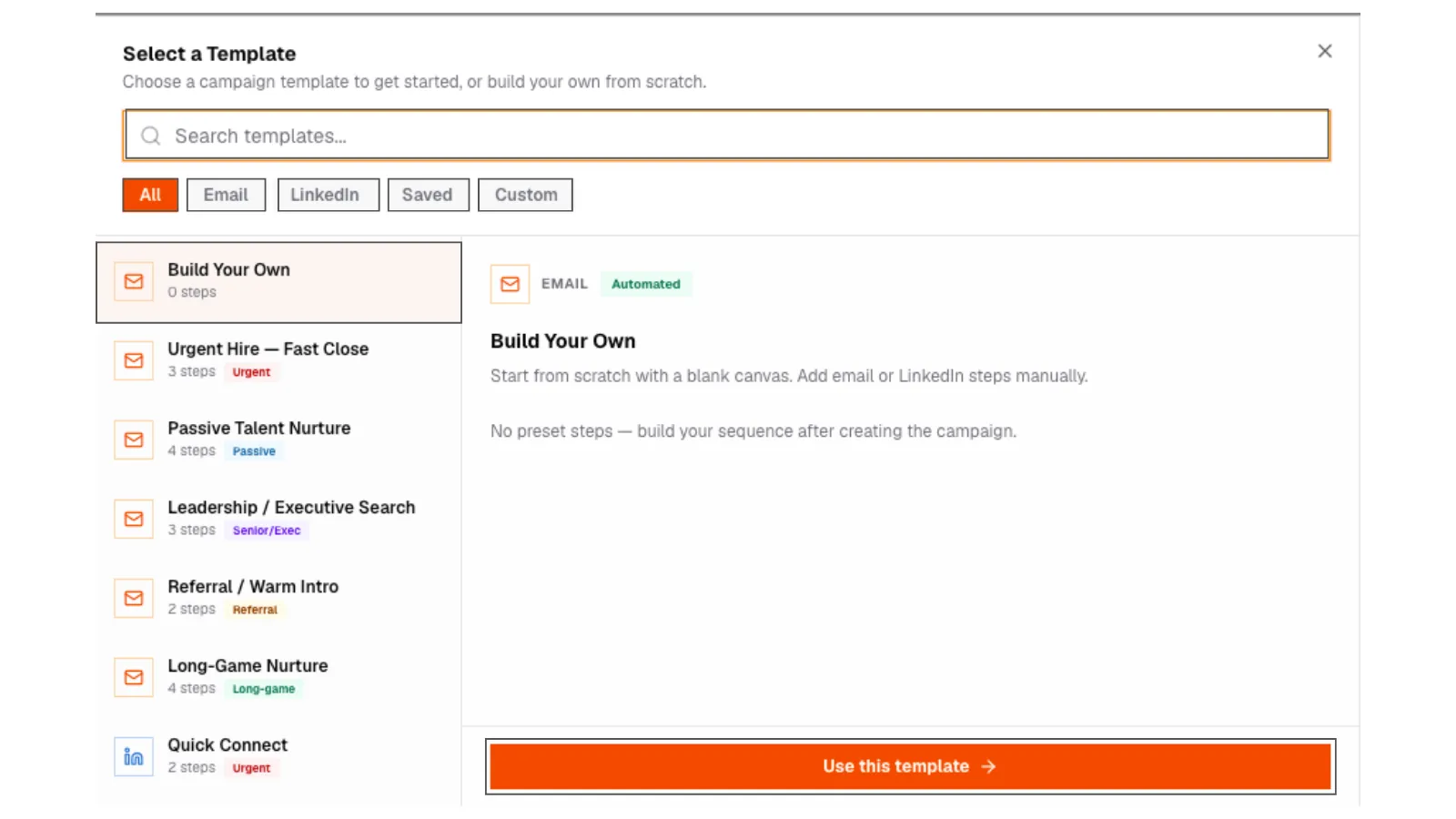
2. Choose a template
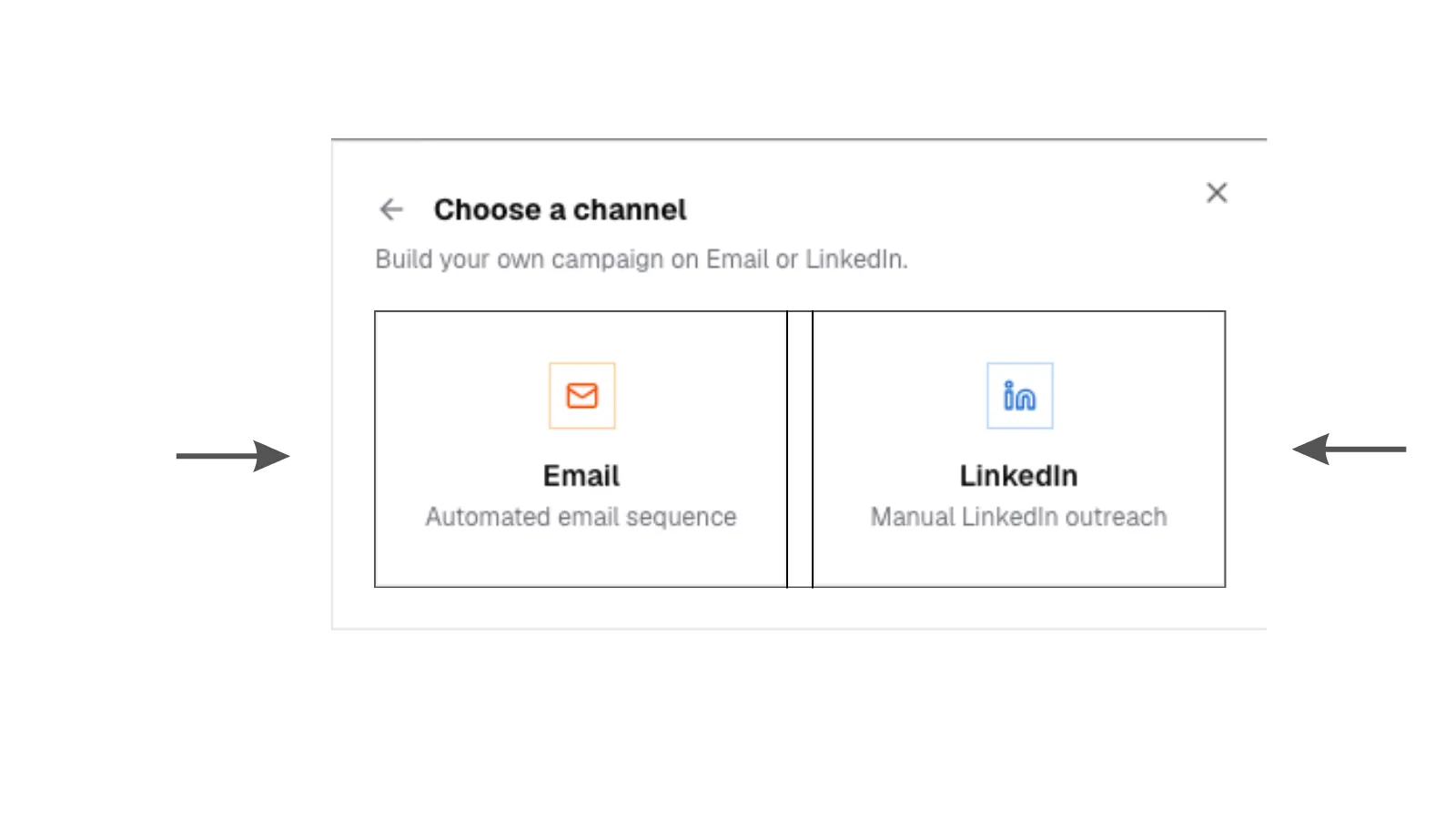
Create-campaign dialog showing Email and LinkedIn template cards.
2. Choose a template
Create-campaign dialog showing Email and LinkedIn template cards.
Pick a channel
Email or LinkedIn. One only. Email is automated. LinkedIn is a manual checklist. See Sequences.
3. Select template category
Template selection with filters and category tags.
3. Select template category
Template selection with filters and category tags.
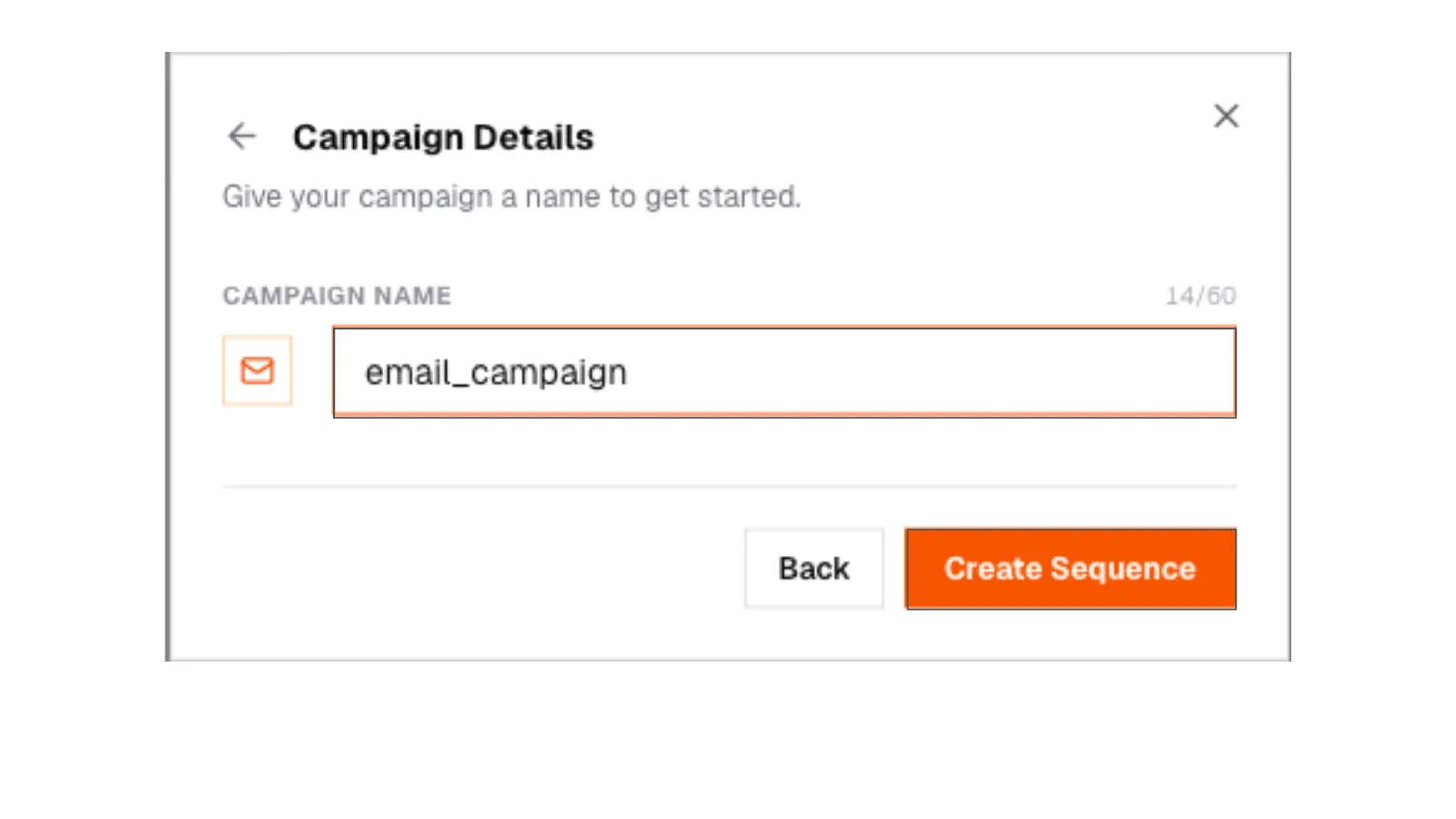
4. Name and channel setup
New campaign form with name field and channel option.
4. Name and channel setup
New campaign form with name field and channel option.
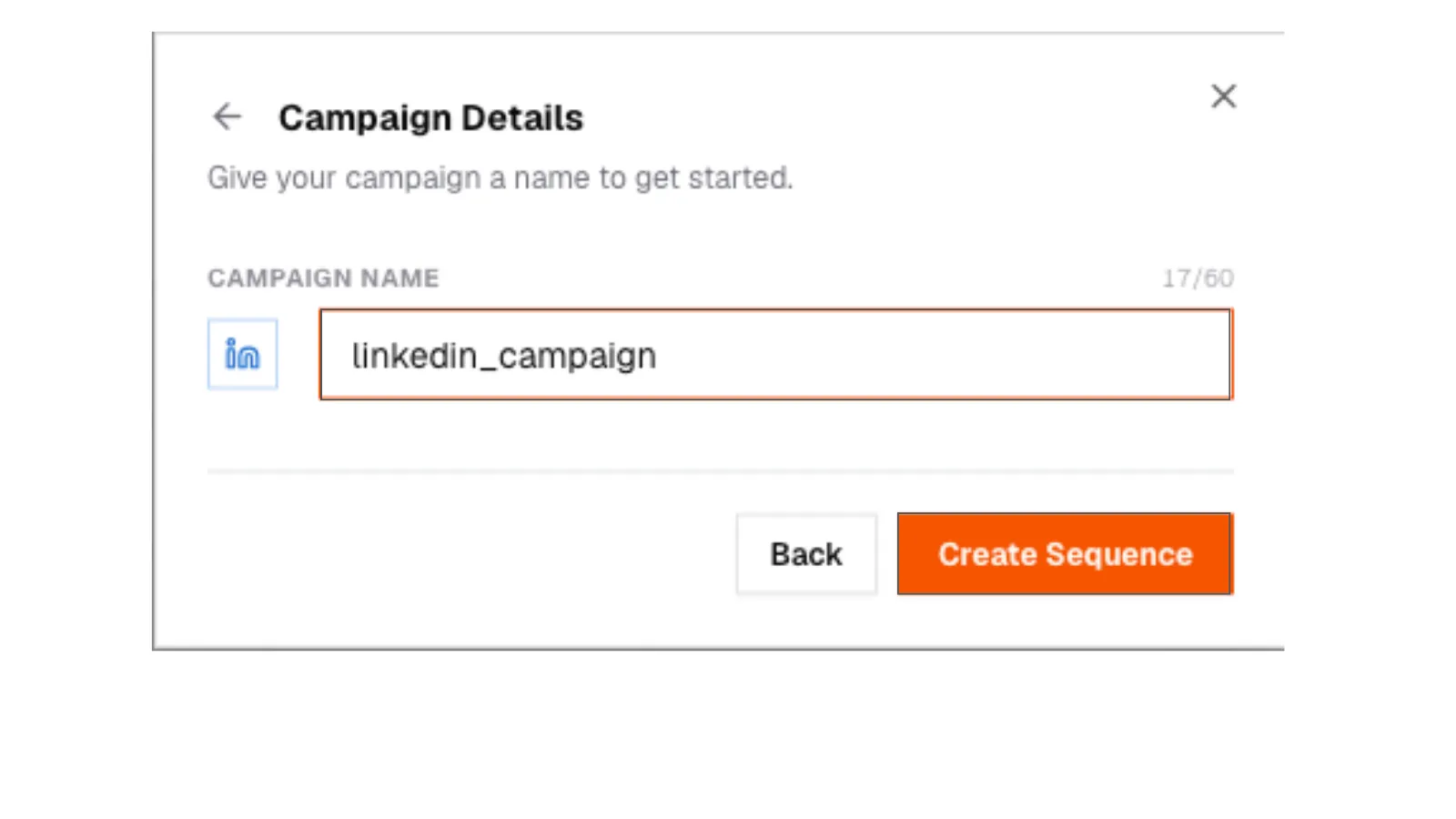
5. Channel details
Campaign channel configuration form.
5. Channel details
Campaign channel configuration form.
Add steps
Two or three steps is plenty for a first campaign.
- Step 1: why you are reaching out
- Step 2: a shorter follow-up, 2-4 days later
- Step 3: a clean last note
Each step has a delay. You can also set a specific send time. If you do not, SARAL uses the next working window.
Add people
On the Candidates tab, add from a search, shortlist, or a profile. Adding is instant. For email, missing addresses look up in the background. Watch progress, retry the ones that fail.
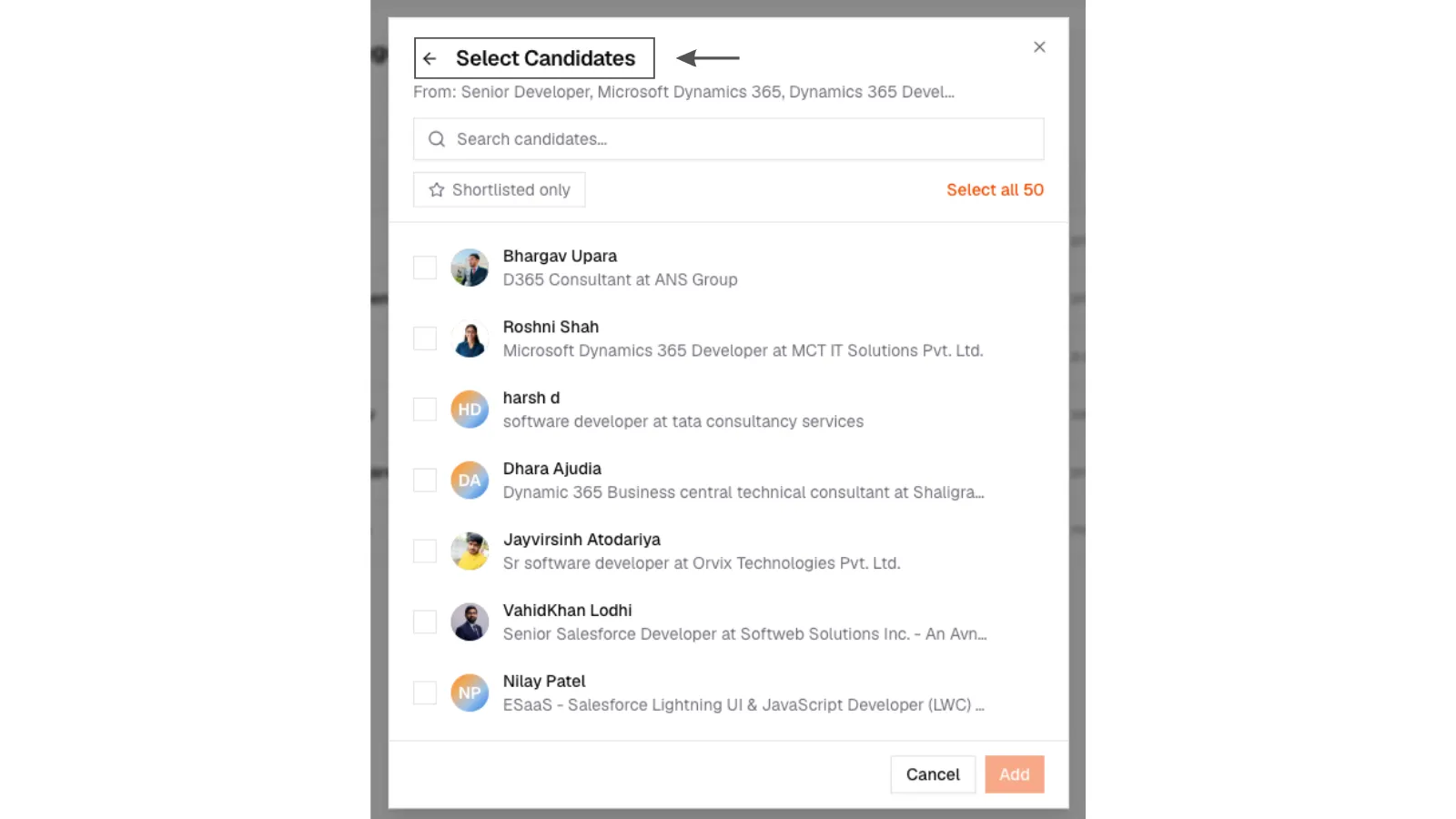
6. Add candidates
Campaign Candidates tab with people added from a search or shortlist.
6. Add candidates
Campaign Candidates tab with people added from a search or shortlist.
Generate drafts, then stop
Click generate. SARAL writes a unique subject and body per person. Step text is a brief for that writing, not the thing that gets sent. You cannot start until every person has a draft.
Open Write messages before you set a start time.
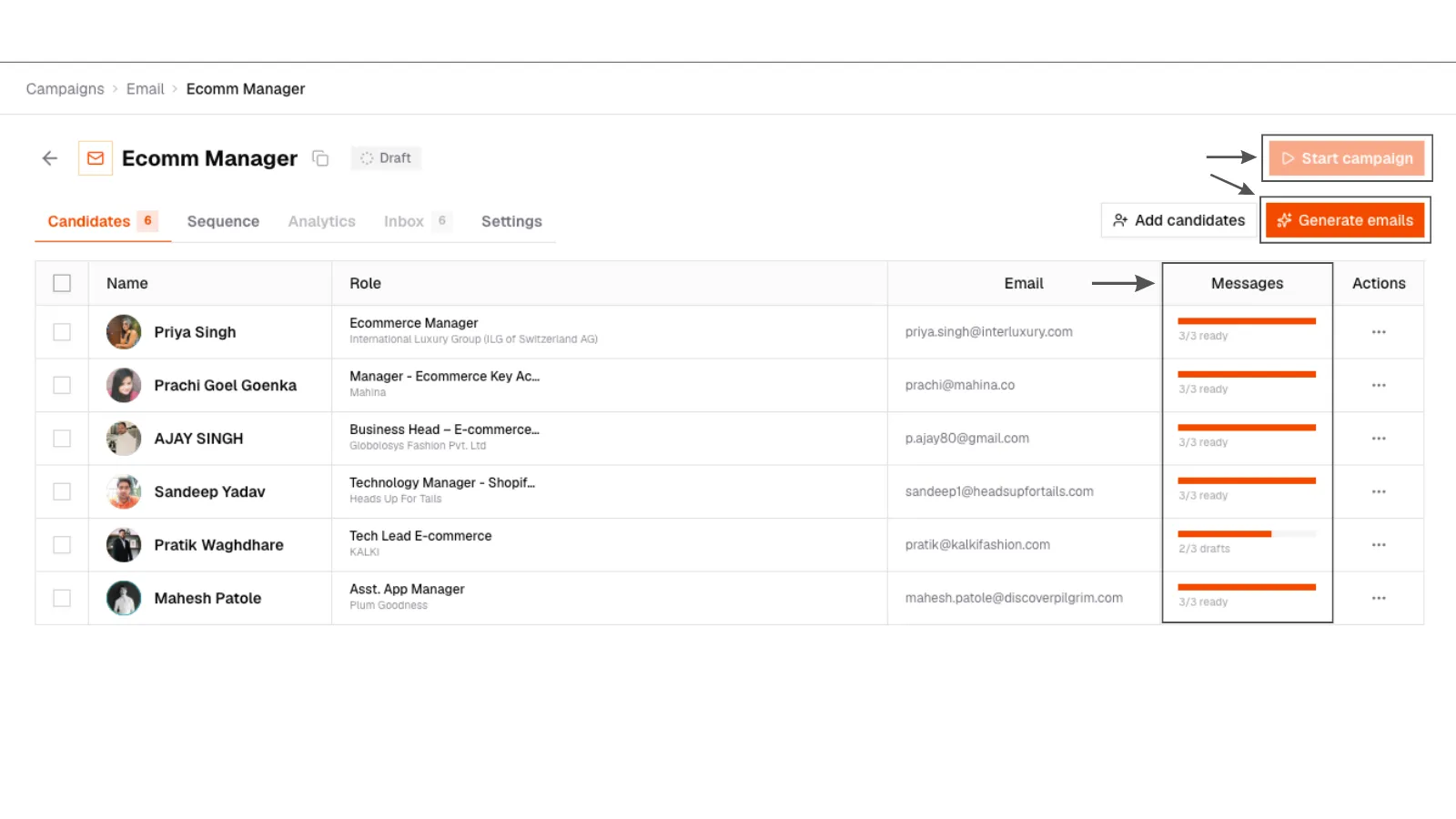
7. Generate drafts
Generate drafts action on a campaign before launch, with per-person progress.
7. Generate drafts
Generate drafts action on a campaign before launch, with per-person progress.
Start campaign requires complete drafts. If anyone is missing one, you will be asked to finish. Nothing goes out half-built.