
Your first search
Type one clear brief, review the filters, then open someone worth a call.
This page walks you through one complete search. You will type a brief, check the filters, run it, and open a profile.
Use a role you already understand. A req on your desk this week is better than a hypothetical.
Write the brief
On the home page, stay on Prompt Search. Type who you need, where, and what good looks like.
Paste this if you want a working example:
Full stack developer in Surat, 2-4 years, React and Node, SaaS product experienceClick Find Talent.
Use the box. Enter submits the same as Find Talent. Suggestion chips under the box are starting points, not rules.
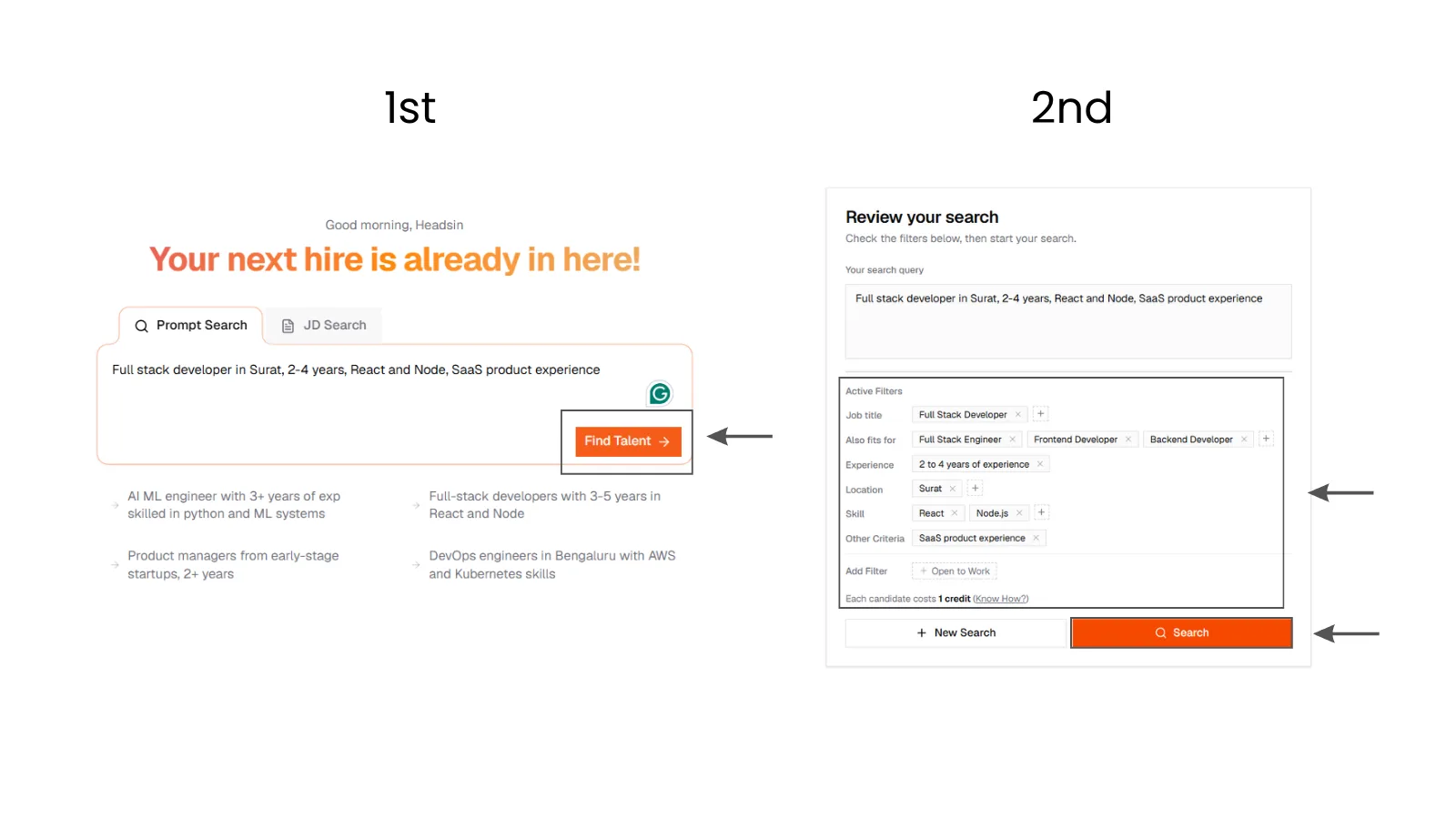
1. Write the brief
SARAL home on Prompt Search with the Surat full-stack example typed in, Find Talent enabled, and suggestion chips below the box.
1. Write the brief
SARAL home on Prompt Search with the Surat full-stack example typed in, Find Talent enabled, and suggestion chips below the box.
Review the filters
SARAL opens Review your search. Read Active Filters. You should see a job title, years, Surat, React/Node, and something like SaaS experience under Other Criteria.
If a chip is wrong, edit it or remove it. If the sentence is wrong, change Your search query and update the filters. Then click Search.
Name the city if the hire is location-specific. Location is a hard requirement. People outside it will not make the list.
Need more examples? See Write a brief.
Read the first list
SARAL saves the query and starts ranking. If the pool is thin, it keeps looking in the background. Stay on the page. New people can appear while you read.
You should see:
- A list or table, highest fit first
- Name, company, location, total experience, estimated salary, and fit
- About 15 people per page, with load more when you want the next page
Switch list and table with the view toggle. Hide or show columns if you want a tighter scan.
If you have run this exact query before, SARAL takes you back to that search instead of charging you twice.
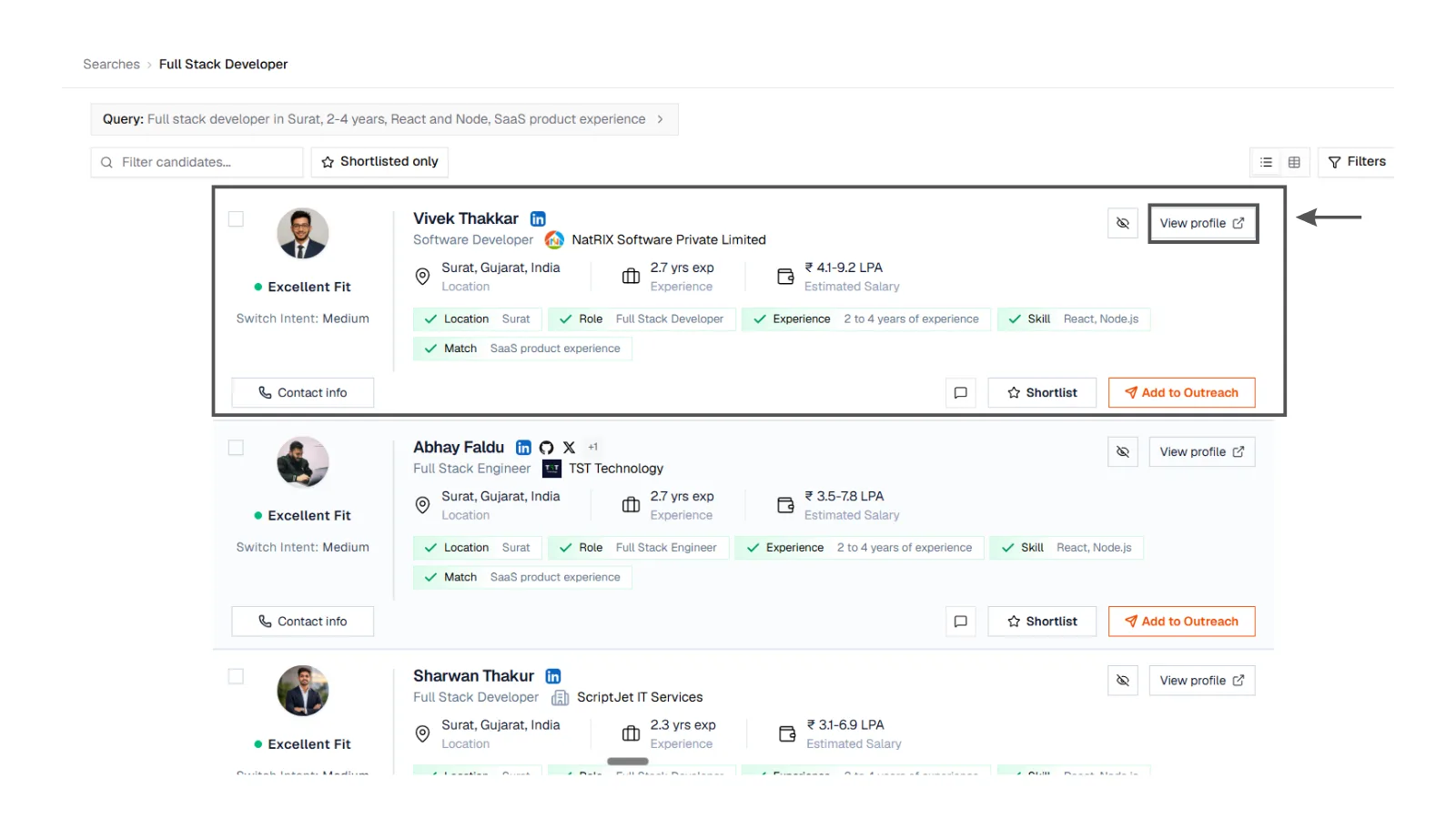
2. Read the ranked list
Results after the first search: ranked candidates with name, company, location, fit, total experience, and a shortlist control. Stronger matches at the top.
2. Read the ranked list
Results after the first search: ranked candidates with name, company, location, fit, total experience, and a shortlist control. Stronger matches at the top.
Open one profile before you unlock anything
Click a name near the top. The profile opens in a side panel. Skim work history, skills, and the about section. Check that the fit matches your gut.
Ask one question: would I take a first call with this person? If yes, shortlist them. Unlock email or phone only when you are ready to reach out.
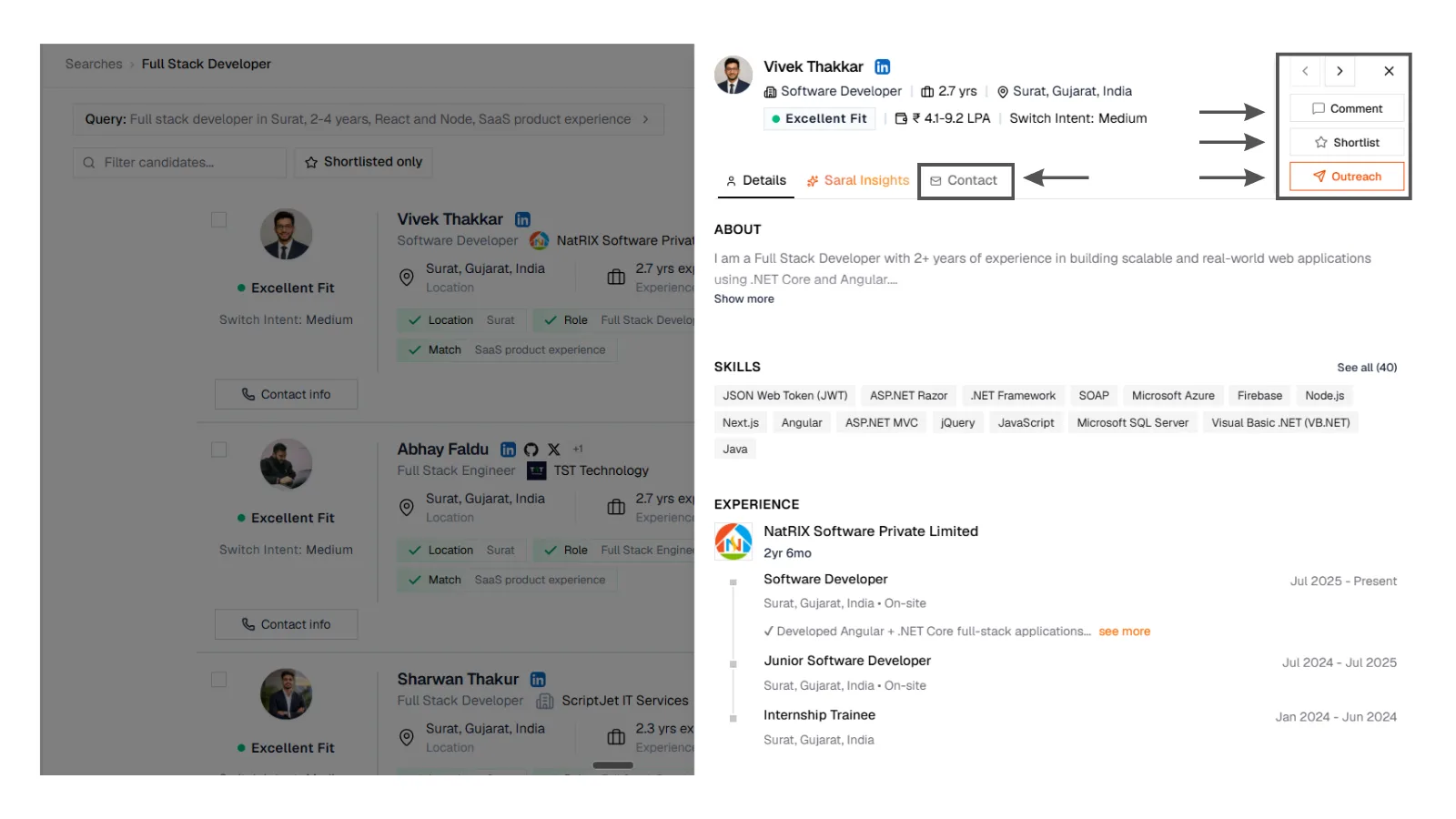
3. Open a profile
Candidate profile panel opened from search results, showing fit score, work history, and shortlist actions before contact details are unlocked.
3. Open a profile
Candidate profile panel opened from search results, showing fit score, work history, and shortlist actions before contact details are unlocked.
Know what this search cost you
Credits are charged per person as they become visible on the page. Not for a blank search, and not twice for someone you have already seen. If a page shows 12 people, you pay for 12. Details live on Credits.
If the list looks off
| What you see | What to try |
|---|---|
| Great titles, wrong city | Put the city in the query. Location is strict. |
| Right city, wrong seniority | Add years or senior / 2-4 years in the sentence. |
| Too few people | Broaden skills or city. Wait. More results may still be arriving. |
| Too many weak rows | Filter Match Fit to Excellent and Good. Tighten the role. |
| Filters do not match your intent | Rewrite on Review. Do not fight the chips. Teach them with clearer words. |
Same query, no luck? Read Filters and run a second search. Your first one stays in All Searches.