
Sequences
A campaign is a short, timed set of messages to the same people. Email or LinkedIn, not both.
A sequence (the product also calls it a campaign) is your outreach plan: a few steps, a delay between them, a list of people, and a start time. SARAL drafts the messages. You review them. Then it runs (email) or walks you through the next action (LinkedIn).
Open Outreach in the sidebar. Campaigns is the list. Inbox is replies. Mailbox is the sending connection.
Campaign at a glance
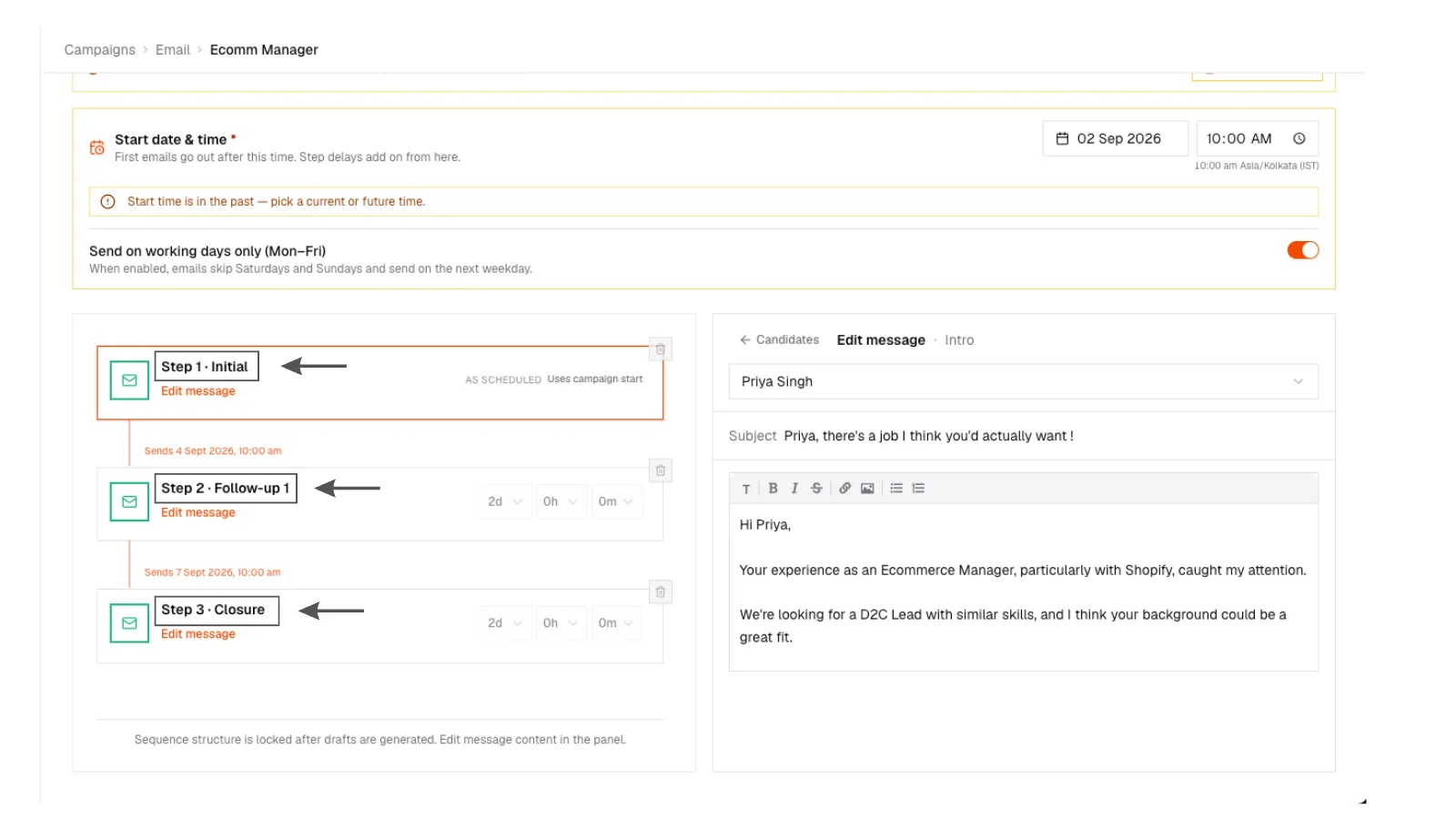
Simple diagram of a three-step email campaign: intro on day 0, follow-up on day 3, last note on day 7, with stop-on-reply and an unsubscribe footer on every email.
Campaign at a glance
Simple diagram of a three-step email campaign: intro on day 0, follow-up on day 3, last note on day 7, with stop-on-reply and an unsubscribe footer on every email.
Email versus LinkedIn
Pick one channel per campaign.
| Email campaign | LinkedIn campaign | |
|---|---|---|
| Sending | SARAL sends after you approve drafts | You send on LinkedIn. SARAL tracks the checklist |
| Steps | Email 1, 2, 3 with delays | Connection, message, InMail, whatever you defined |
| Replies | Land in the inbox. Later steps stop | You mark replied. Later steps stop |
| Badge | Automated | Manual |
Do not try to mix channels in one campaign. Make two campaigns if you need both.
The path that works
- Create the campaign from a template or from scratch
- Add people (from a search, shortlist, or profile)
- Generate drafts, then edit them so they sound like you
- Set when it starts (email)
- Start, pause, and watch
Campaign tabs are Candidates · Sequence · Analytics · Inbox · Settings.
If someone replies, remaining steps for that person cancel. If an email bounces, they drop off so a bad address does not keep getting hit.
Every email includes an unsubscribe link. That is required, and SARAL honors it.