
Read a profile
What each section of a candidate profile is telling you, and what it is not.
A results row is a cover. The profile is the book. Open it before you unlock or email anyone.
Click a name. The profile opens as a side panel. Tabs: Details, Contact, Insights, GitHub.
1. Details
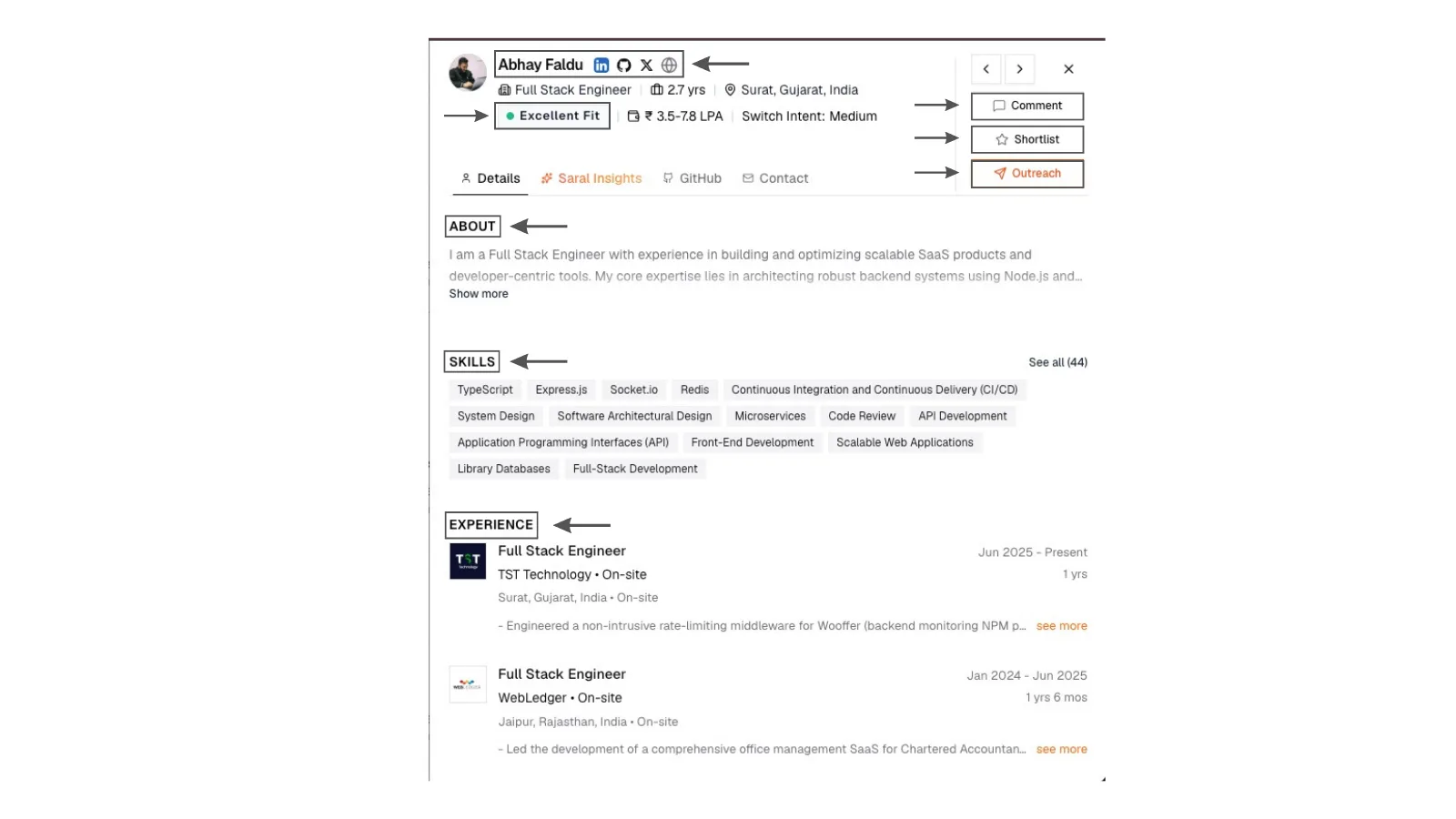
Candidate profile sheet in SARAL: name and headline, fit score, work history, education, skills, about, links, and actions to shortlist, comment, or add to a campaign.
1. Details
Candidate profile sheet in SARAL: name and headline, fit score, work history, education, skills, about, links, and actions to shortlist, comment, or add to a campaign.
The header
You will see the name, headline, location, and the fit for this search. The score is not a lifetime grade. It is how well this person matches the query you just ran. Details: Scores.
When SARAL has them, you may also see estimated salary and switch intent (High, Medium, or Low).
From here you can:
- Shortlist or un-shortlist
- Leave a comment
- Add to a campaign
- Unlock email or phone on the Contact tab
- Open Insights (when you came from a search)
- Request a GitHub scorecard
Details
Read titles, companies, and dates like a human would.
- Recent and relevant beats a famous logo from eight years ago
- Short stints are not automatically a no. Look for a pattern
- Title inflation happens. Compare the work they describe to the title they hold
Education is context, not a filter unless you made it one in the search. Skills are a bag of words from the profile. Useful, incomplete. If you need has actually shipped X, that is what the work history and Insights are for.
The about section is their voice. Links (site, LinkedIn, and similar) are how you verify the person is who the row says they are.
Contact
Contact details stay hidden until you unlock them. A missing phone on the profile is normal. Unlocking asks SARAL to look it up. If nothing is on file, you will not be charged for a blank result.
GitHub scorecard (on demand)
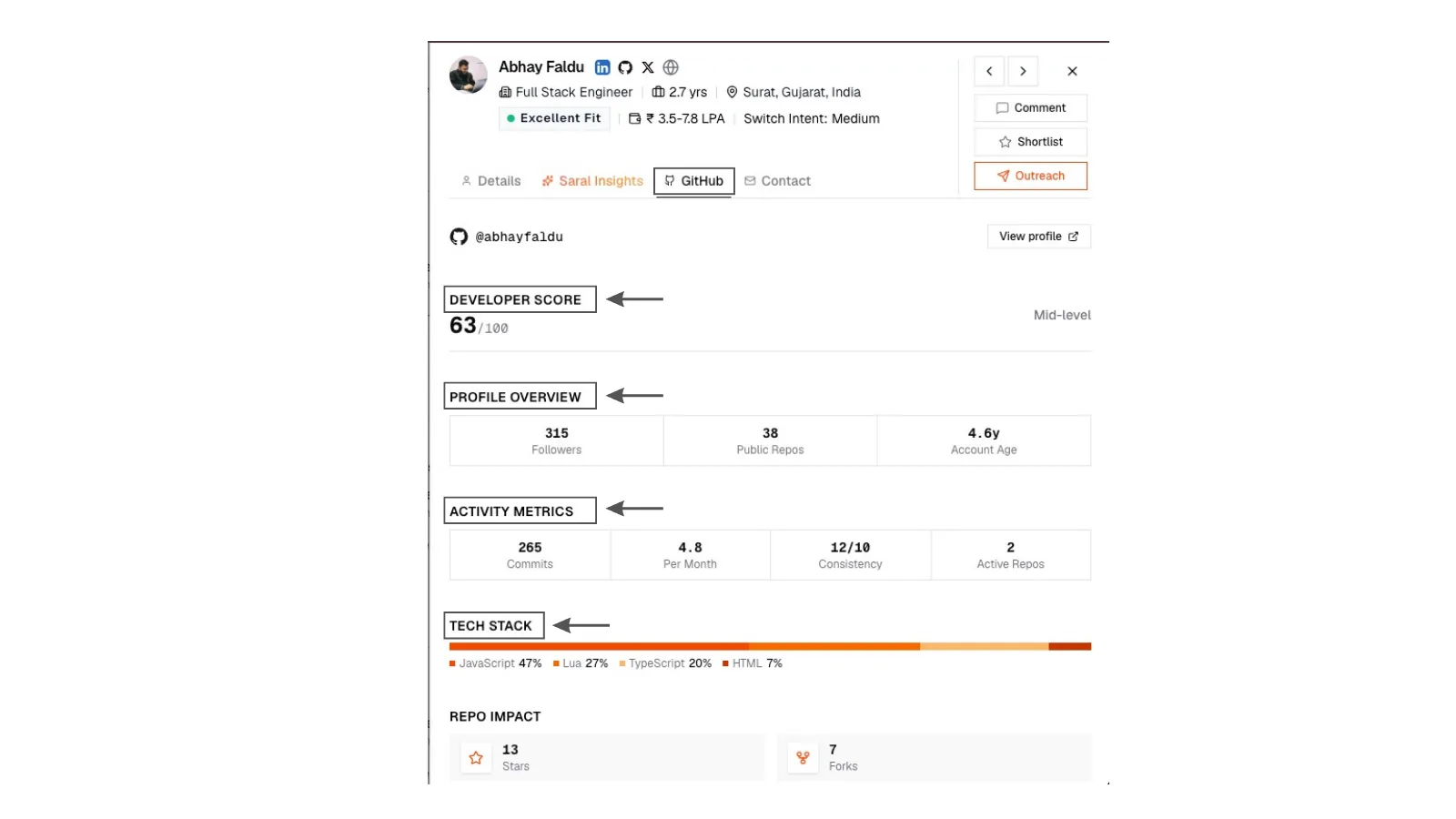
For technical roles you can ask SARAL to find a matching public GitHub account and build a short scorecard: activity, languages, a 0-100 developer score. It is optional. No match is a valid answer. First lookups take a few seconds.
2. GitHub scorecard
On-demand GitHub scorecard on a candidate profile: account age, languages, activity, and a developer score with a plain-language level label.
2. GitHub scorecard
On-demand GitHub scorecard on a candidate profile: account age, languages, activity, and a developer score with a plain-language level label.