
Credits
What each action costs, what is always free, and where to see the balance.
Credits are how SARAL meters work you asked it to do. The rule is simple: you pay for what you see, and you never pay twice for the same person.
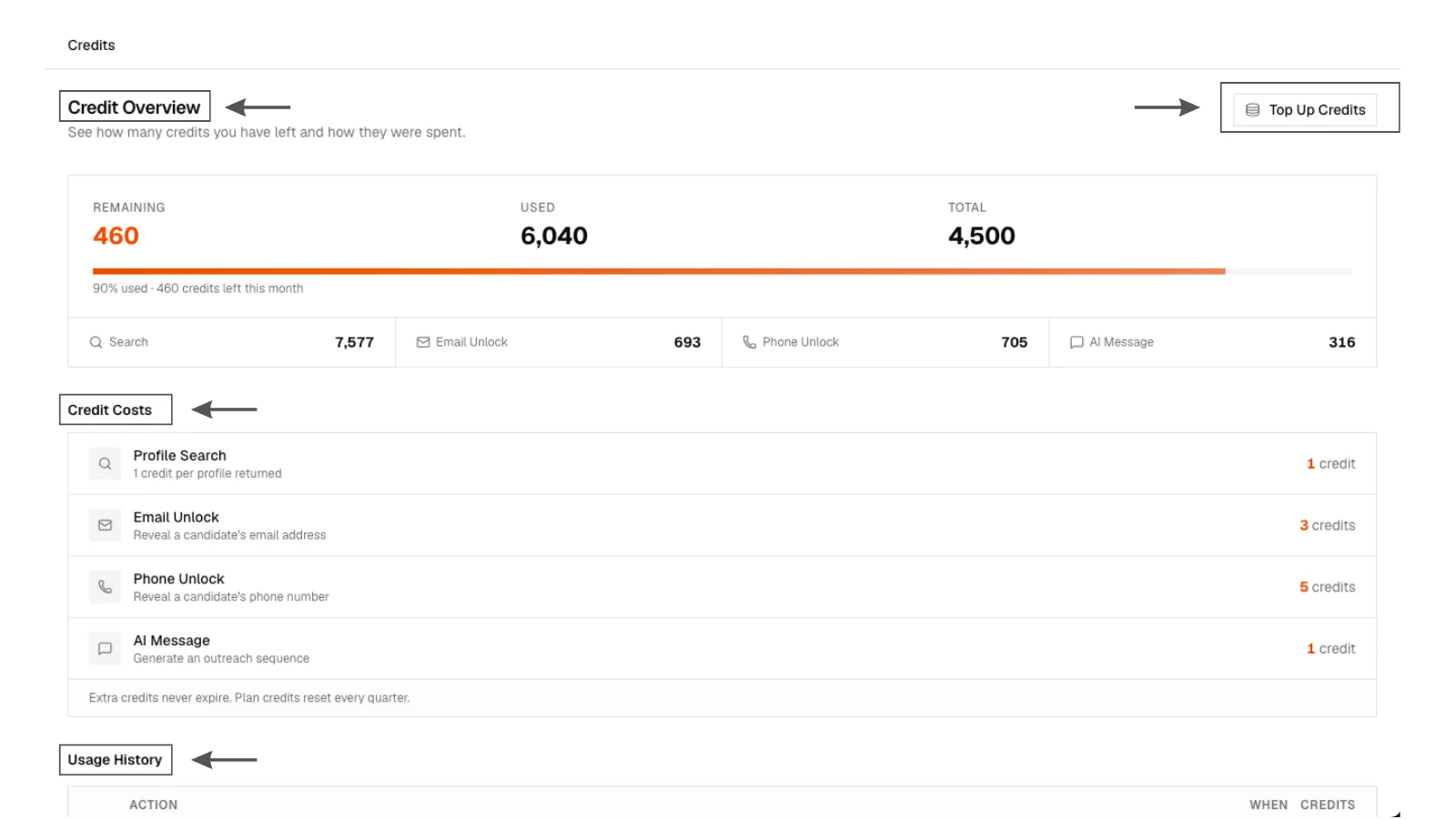
The sidebar widget shows available / total. Click it to open Credits.
Credit balance
Credits page showing current balance, cost table (search, unlock, AI drafts), and recent usage.
Credit balance
Credits page showing current balance, cost table (search, unlock, AI drafts), and recent usage.
What things cost
As published on the Credits page today:
| Action | Credits |
|---|---|
| A candidate appearing on your search results | 1 |
| Unlock email | 3 |
| Unlock phone | 5 |
| Generate AI drafts for one person in a campaign | 1 |
A page with 12 people costs 12 search credits, not a flat search fee. If the page is still filling in, you pay as rows become visible.
Always free
- Seeing someone you have already paid to see on an earlier search
- Opening contact details you have already unlocked
- Connecting an ATS job (the sync itself)
- Shortlisting
- Reading Insights you have already generated for that person and search
If something fails
If a search or an unlock does not complete, credits for that failed action come back. If an unlock finds nothing, there is no charge.
Top-up credits (bought extra) do not expire. Monthly plan credits reset each billing cycle. Growth shares one pool across the team.
Where to look
- Credits in the sidebar widget
- Plans & Billing for plan, top-up packages, and history
- Campaign Candidates tab for unlock progress while a campaign is filling emails
If you are out of credits, you can top up from Billing or ask us to add a pack. See manage billing.