
Launch and track
Set a start time, start on purpose, then watch delivery, replies, and bounces.
Nothing sends until you set when it starts (email) and click Start campaign. That is the last thoughtful click, not a formality.
Before you start
- Every person has a draft you accept
- Email campaign: mailbox connected
- Missing emails have either unlocked or been removed
- The start time is when you want the first wave to go, not whenever
- If working days is on, pick a weekday
Set the start time
On the Sequence tab, set the date and time. This anchors the first send. Later steps follow their delays from there.
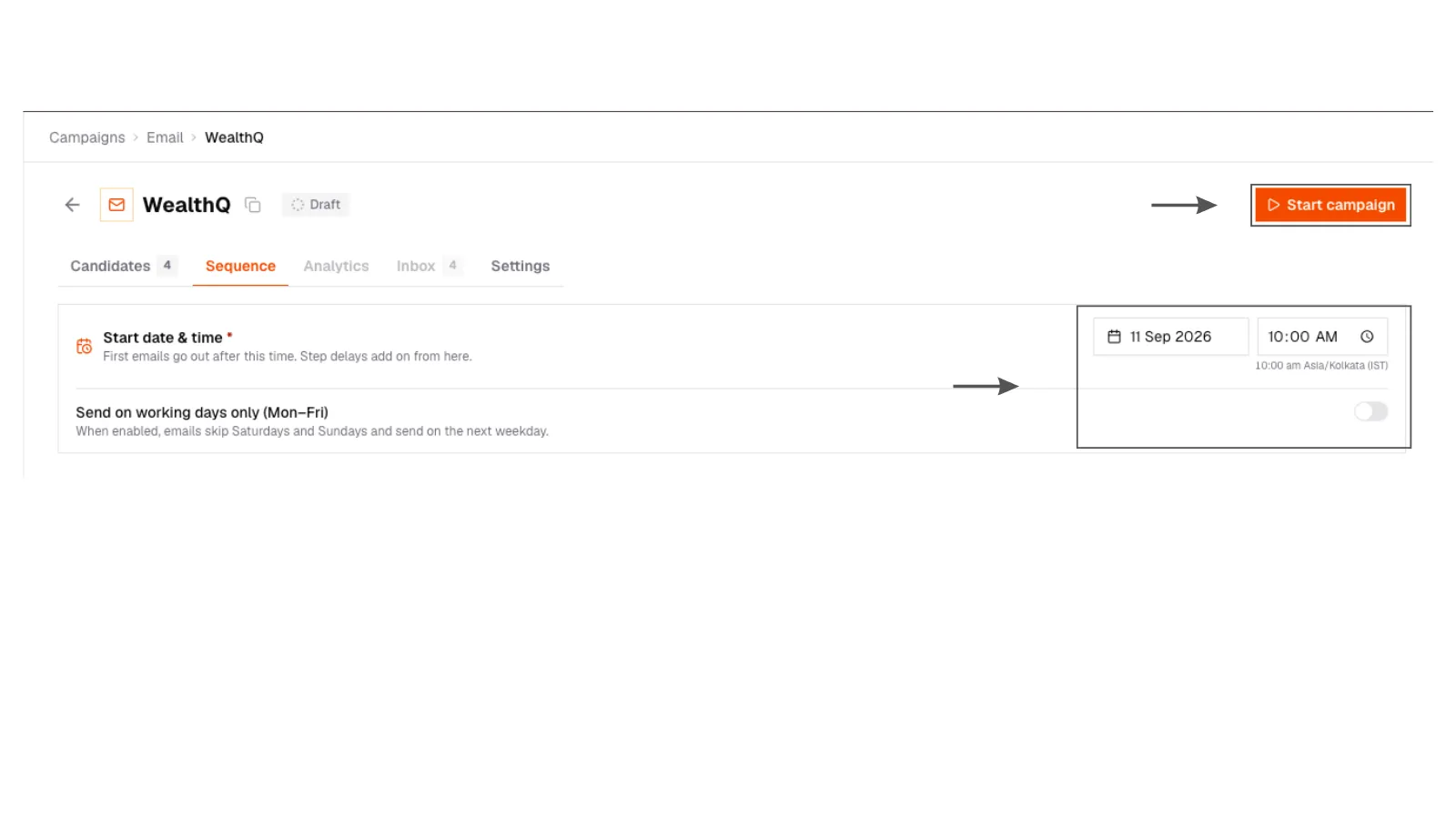
1. Set start time
Campaign Sequence tab with start date and time fields before launch.
1. Set start time
Campaign Sequence tab with start date and time fields before launch.
Start campaign
The campaign moves from draft to live. First emails wait for their window.
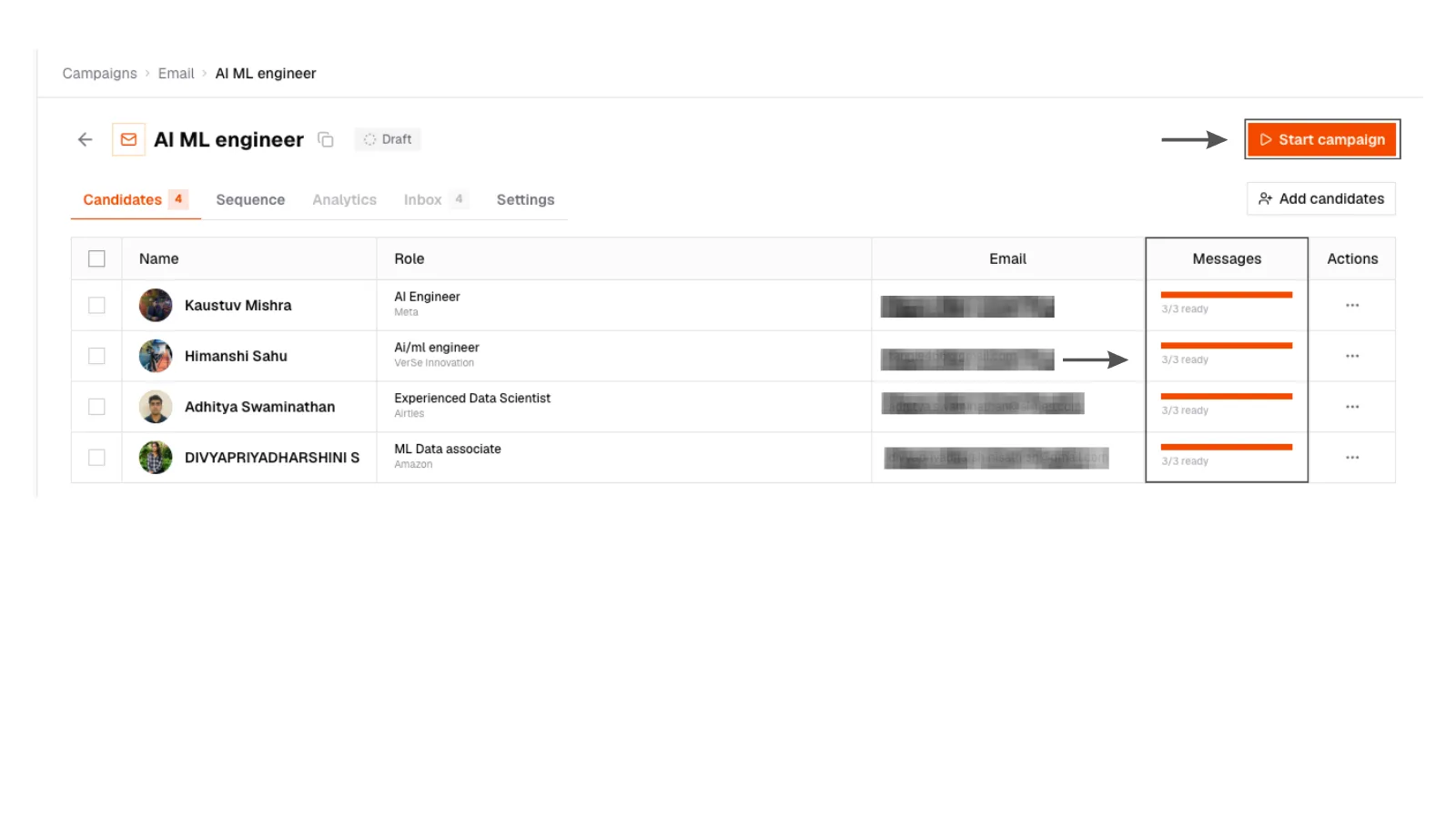
2. Start campaign
Campaign ready to launch with Start campaign enabled after drafts are complete.
2. Start campaign
Campaign ready to launch with Start campaign enabled after drafts are complete.
Pause if you need to
Pause stops further sends. Resume when you are ready. People who already replied stay stopped.
LinkedIn campaigns do not need a mailbox start time. You work the checklist when you are ready.
What the dashboard tells you
On Analytics you will see the honest numbers:
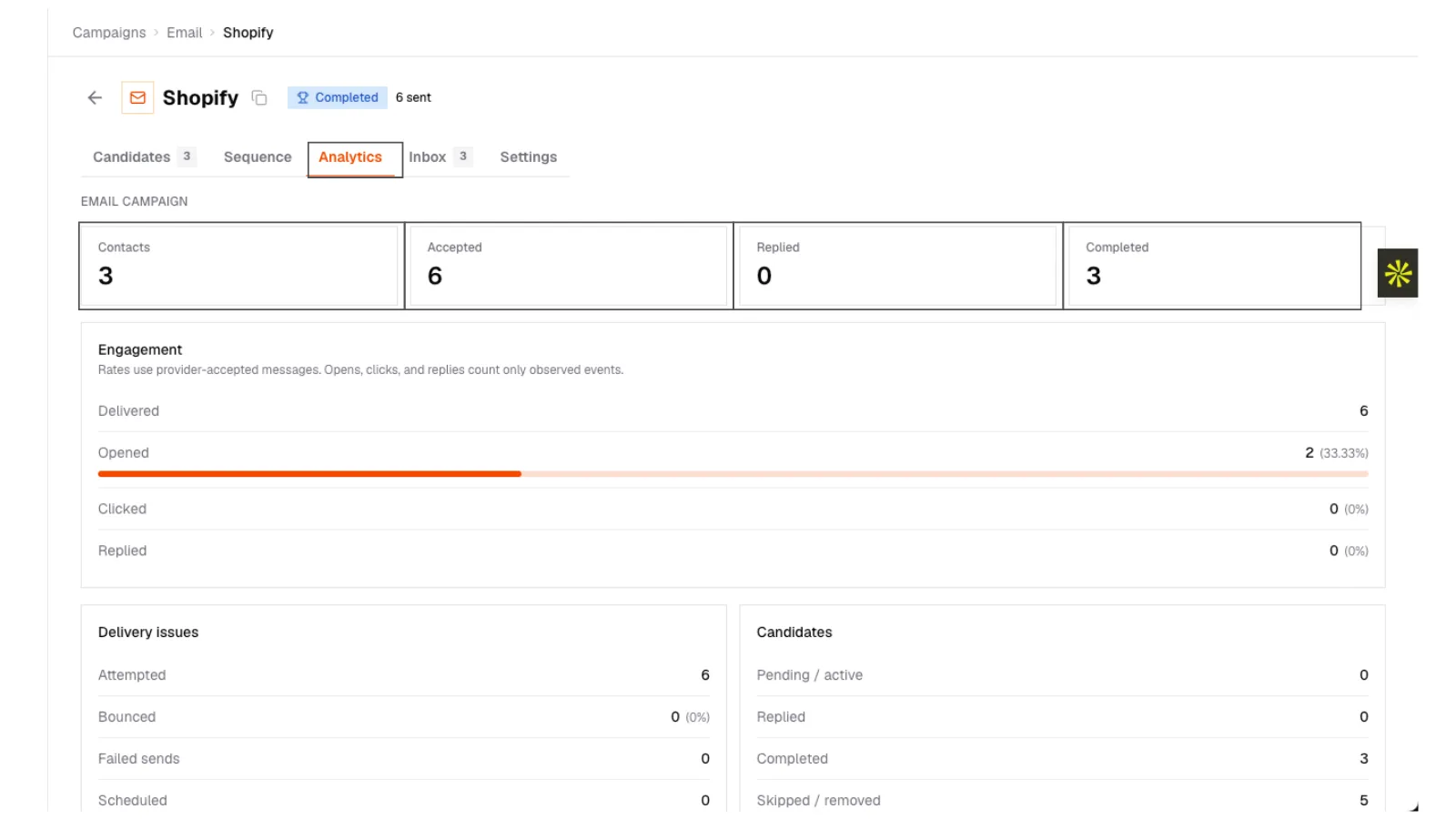
3. Campaign analytics
Campaign dashboard with delivery, open, click, reply, and bounce rates, plus a per-person status list.
3. Campaign analytics
Campaign dashboard with delivery, open, click, reply, and bounce rates, plus a per-person status list.
- Delivered: it arrived
- Opened / Clicked: they engaged (opens are imperfect; replies matter more)
- Replied: go to the inbox
- Bounced: bad or full address. They are removed so you do not keep sending
- Unsubscribed: honored immediately
Bounces protect you. A high bounce rate is a list problem, not a copy problem. Remove obvious role accounts and retry unlocks before you scale.
After it runs
People complete the last step, reply, bounce, or unsubscribe. That is a finished pass. Clone the structure for the next req. Do not keep piling new names onto a stale story.