
Account
Your name, password, notifications, and the legal pages.
Settings is for you and the workspace, not for the search itself.
Open it from the user menu (your name, bottom left) → Profile. The Settings nav is Profile, Account, Support, and Legal.
Profile
Update the name and photo that show on your account. Use the same email you want support replies and invoices to use (that email comes from sign-up).
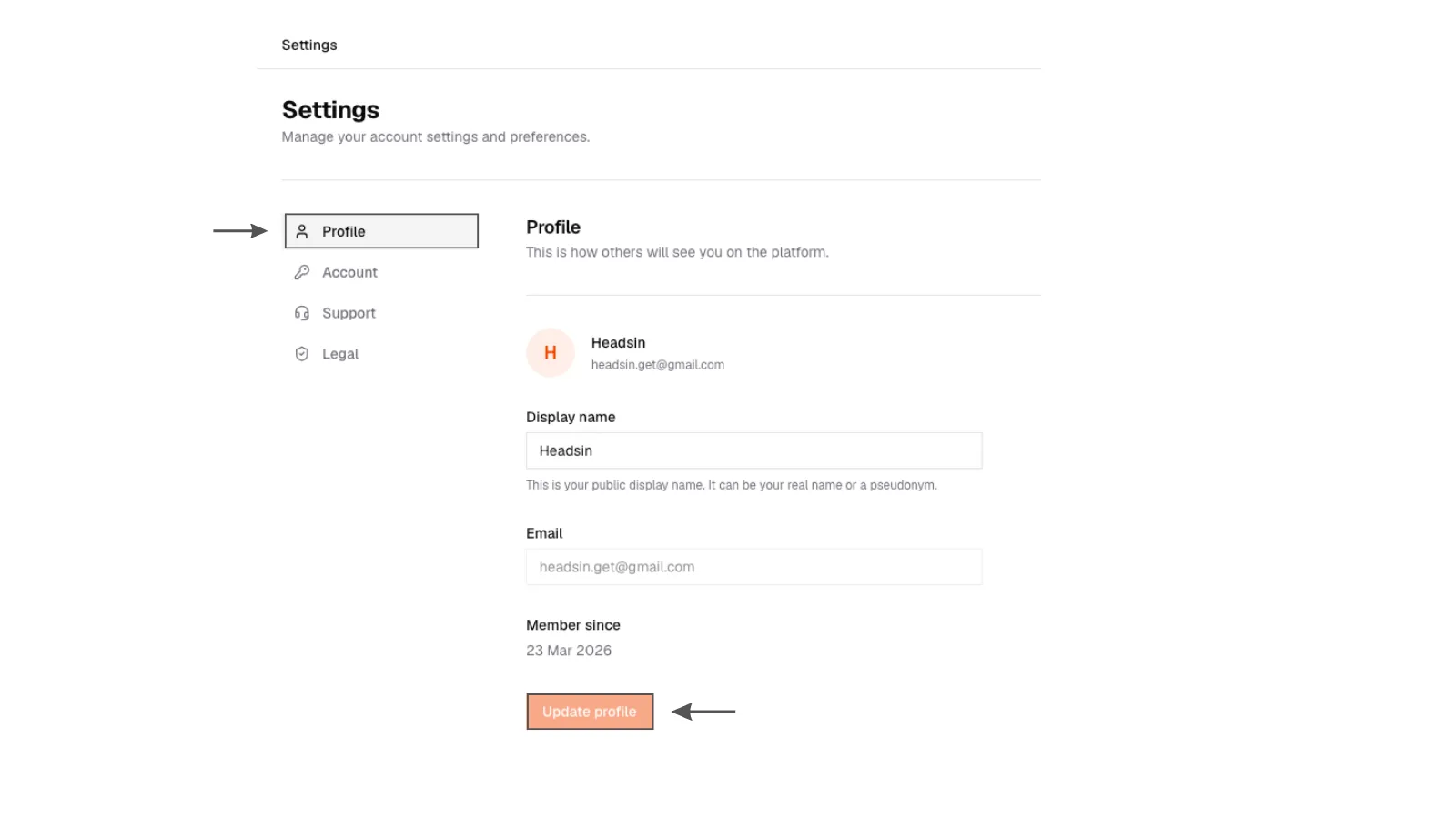
1. Profile
Settings Profile page with name and photo fields.
1. Profile
Settings Profile page with name and photo fields.
Account
Change your password, or delete the account. Password changes for email sign-up live here. I cannot get in lives on the login pages. See Troubleshooting.
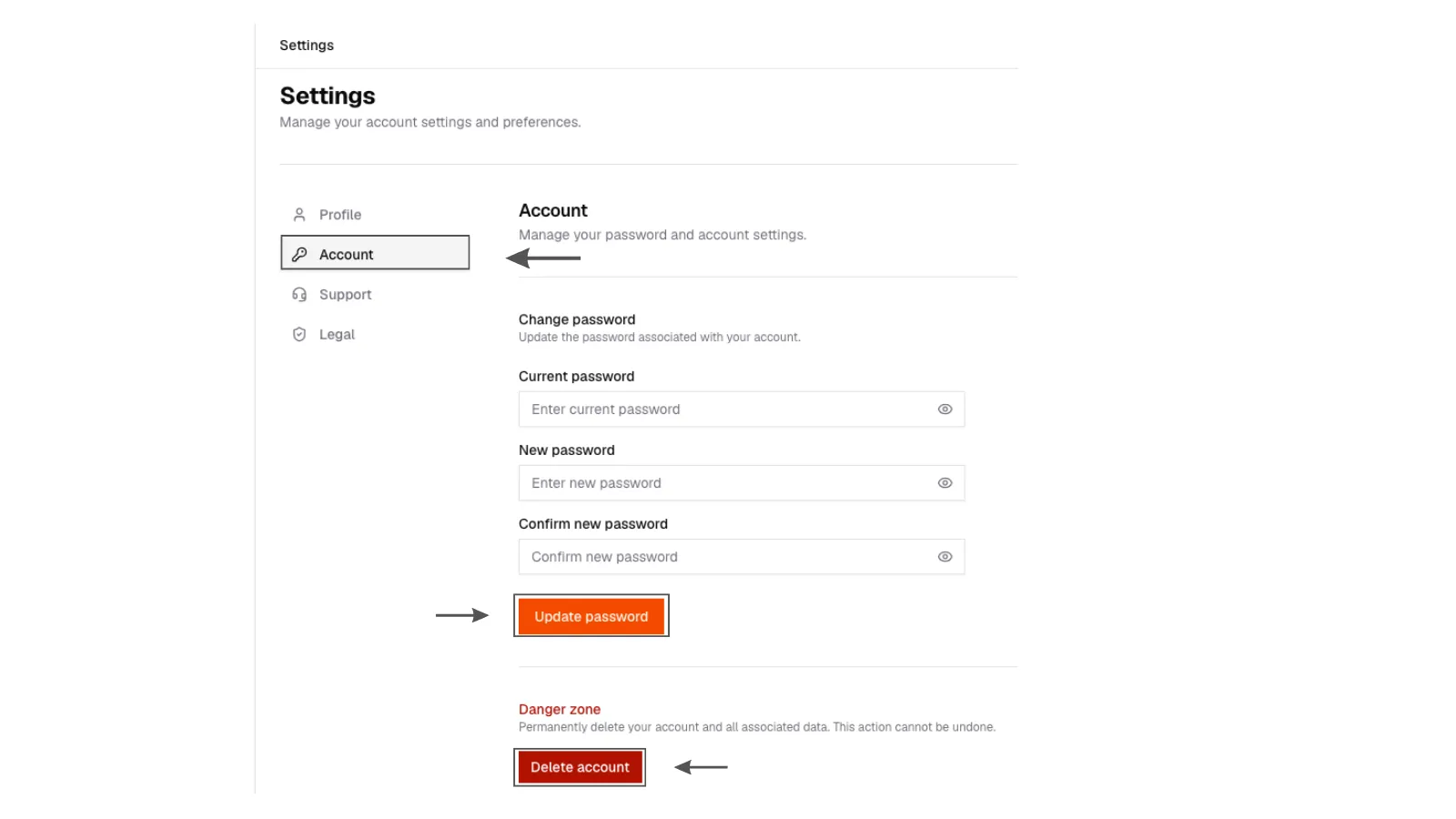
2. Account
Settings Account page with change password and delete account options.
2. Account
Settings Account page with change password and delete account options.
Notifications
Reply and billing emails can be tuned from the notifications screen. Keep reply notifications on if you run campaigns. The inbox is only useful if you look at it.
Legal
Privacy, terms, and related notices are linked from Settings → Legal and from saralhire.ai. Read those pages for the official language. These docs will not paraphrase them.
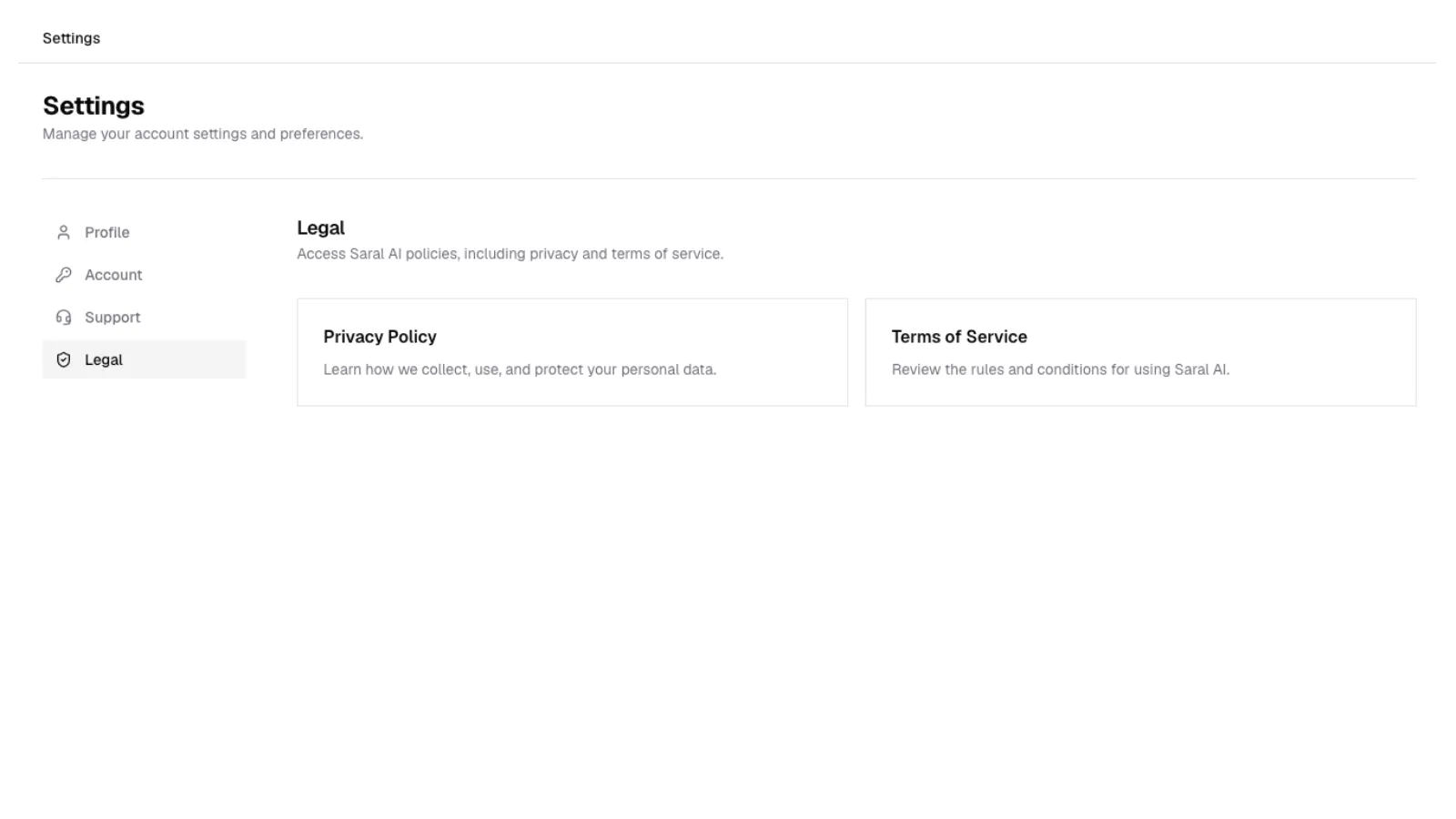
3. Legal links
Settings Legal section with links to privacy, terms, and related notices.
3. Legal links
Settings Legal section with links to privacy, terms, and related notices.
Exports
On Growth, export unlocked people as CSV from Contacts, not from a separate Settings export page.