
Support
Write from Settings → Support, or reach us by email, phone, or WhatsApp.
When the docs and the app still disagree with reality, talk to a person.
In the product (best)
Go to the user menu → Support, or Settings → Support. Send a short message. Choose the topic (account, billing, or product). Attach a screenshot if the bug is visual.
SARAL includes your account name, email, and basic browser details with the message so we do not have to ask twice.
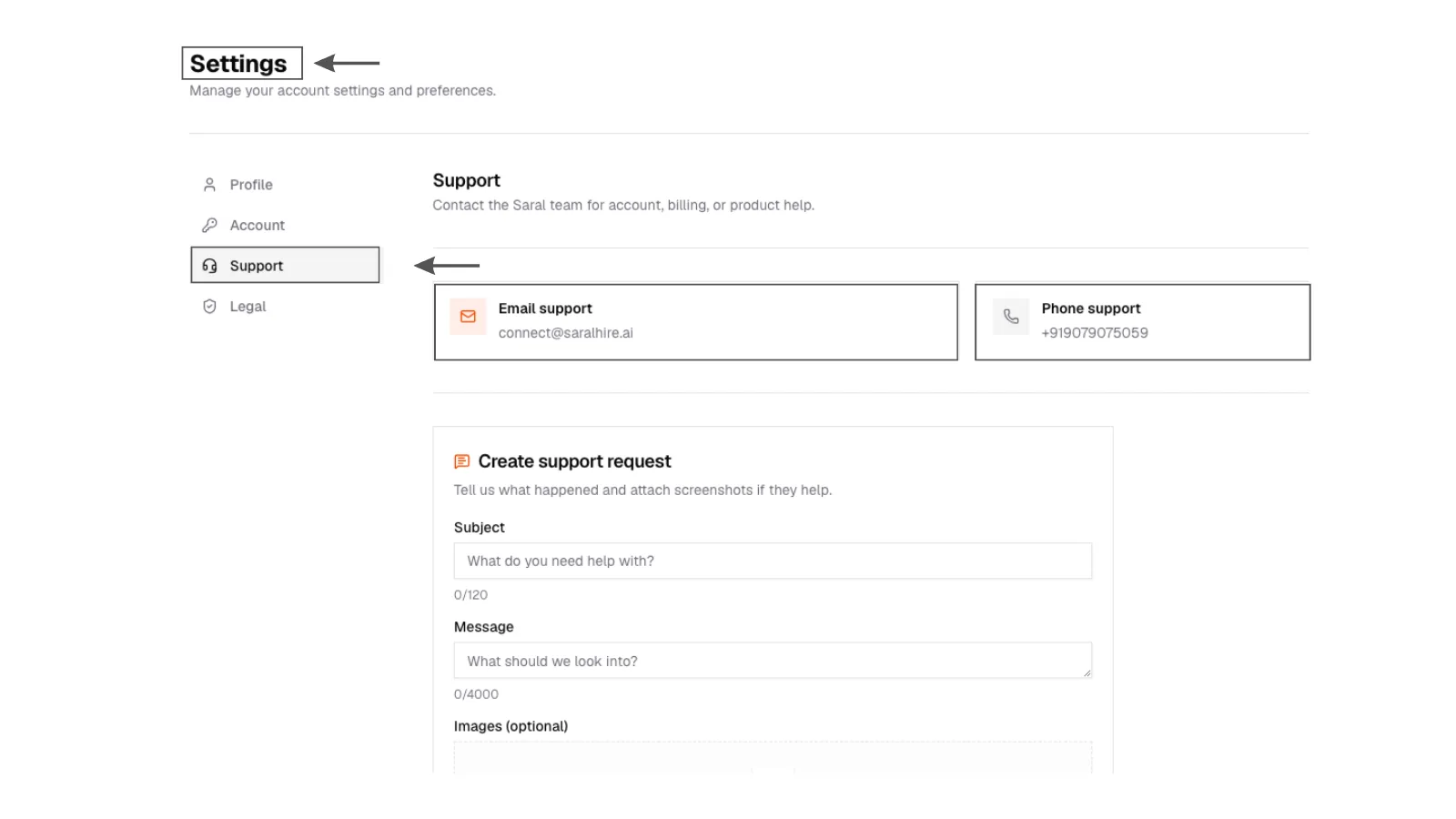
1. Support in Settings
Support form in Settings with topic, message, and optional screenshot attachment.
1. Support in Settings
Support form in Settings with topic, message, and optional screenshot attachment.
Direct
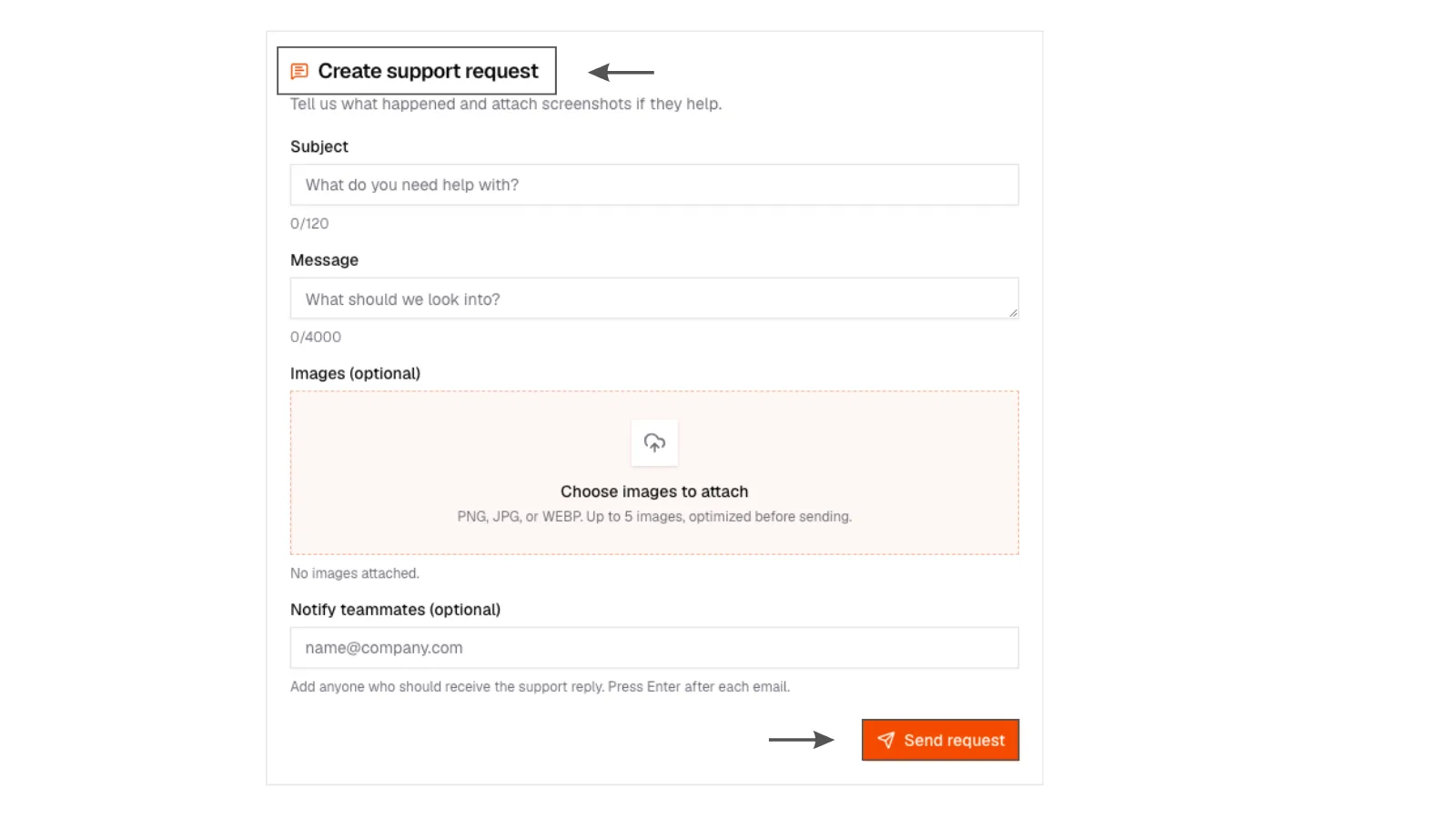
2. Contact options
Support page showing email, phone, and WhatsApp contact options.
2. Contact options
Support page showing email, phone, and WhatsApp contact options.
- Email: connect@saralhire.ai
- Phone: +91 90790 75059
- WhatsApp: wa.me/919079075059
Starter plans: email, typically within a business day. Growth: email and call, faster queue. Enterprise: the channel you were given at onboarding.
Do not put passwords, one-time codes, or full card numbers in a support ticket.
What to include
- What you were trying to do
- The search or campaign name, if any
- What you expected, what happened
- A screenshot
That is enough.